GreatoolyGreatooly

Explore by need

To-do list apps

Explore iPhone apps for to-do list. Compare the main workflows, supported features, purchase options, and limitations documented for each listing. Greatooly links to official sources so you can check current availability and terms before choosing.

What to compare

Apps in this category approach to-do list in different ways. Start with the task you need to complete, then compare the workflow and the specific features listed on each app page. The directory below links to app details, documented limitations, purchase notes, and sources.

How this directory is prepared

Greatooly summarizes public product information and links to official listings. App pages identify whether information was researched or hands-on tested. Pricing and availability can change by storefront, app version, and date, so check the linked source before purchase.


How to choose

  • Match the app's documented workflow to the specific to-do list task you need to do.
  • Compare the current free tier, paid features, and renewal terms in the official listing.
  • Check supported devices, data export, sync, and privacy details where they matter to your use.

Frequently asked questions

Are all apps hands-on tested?

No. Each app detail page states whether its information was researched from public sources or hands-on tested. This category page does not imply that every app was tested.

Are prices and features guaranteed to be current?

No. App availability, prices, and features can change. Check the linked official store listing and the verification date shown on each app page.

Smart Tasks - Lists Made Easy

Plan tasks by day and category with quick actions, calendar events, reminders, widgets, and optional routines or iCloud sync.

BB Task Manager

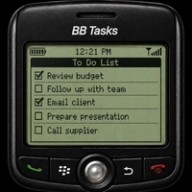
BB Task Manager organizes work into categories, statuses, and subtasks, with completion updates available on Apple Watch and connected devices. The developer says data can stay on-device, in iCloud, or in personal shared folders. The App Store listing describes it as a $1.99 one-time purchase with no ongoing subscription.

myCal PRO Planner

View calendars in month, week, day, list, and year layouts with widgets, reminders, task links, event invites, and repeat rules.

WeNote - Notes, Notepad, To do

Create color-coded notes, checklists, shopping lists, reminders, and calendar entries, with offline access, note locking, and iCloud sync.

Twos

Capture notes, tasks, reminders, and everyday details in simple lists, with daily organization and unfinished items that can carry into the next day.

Shared Planner

Shared Planner brings group calendars, tasks, shared lists, reminders, chat, and file sharing into invite-only spaces. Members can coordinate family schedules, household work, trips, teams, or clubs, with changes shared across the group. It starts free, while additional planning and collaboration features are offered as optional upgrades.

Pomocat - Adorable Focus Timer

Use a cat-themed focus timer with white noise, friend sessions, focus logs, and customizable alarms, with extra lists and sounds in Pomocat Premium.

Plannd: Day & Budget

A cross-device daily planner and budget app for tasks, events, bill dates, spending, and monthly cash flow.

Planmore: Schedule Planner App

Combine calendars, tasks, reminders, notes, and shopping lists in a multi-view planner, with optional lifetime or recurring Premium upgrades.

Pamly: Family Organizer

Pamly is a family organizer for tasks, appointments, school notes, routines, reusable checklists, and family responsibilities. Users can add information by voice, text, or document scan, then review details before saving. Free access has capture limits; Pro adds unlimited scans, repeating routines, schedule tools, and family checklists through subscription or lifetime options.

Notee - Markdown Notes

A native Markdown notes app that stores notes as files in a folder on your device or iCloud Drive.

Keeso - Family Organizer

A family organizer with a shared calendar, chores, shopping lists, and a natural-language inbox.