
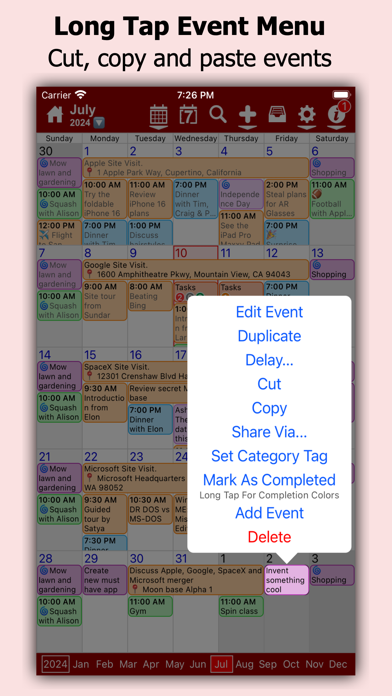
myCal PRO Planner is a calendar app that puts several schedule views and basic task features in one place. The listing describes month, week, day, list, and year layouts, home-screen widgets, event invites, alerts, repeat rules, and integrated reminders. It can connect to calendars already synced to an Apple device, including iCloud, Google, Exchange, and Yahoo. The app is listed at US$2.99 in the US when checked. Existing calendar providers remain the source of event data, so sync permissions and account settings matter. It is a calendar viewer and organizer, not a replacement for workplace scheduling or project management. Confirm current price and supported operating-system requirements before purchase.
myCal PRO Planner
View calendars in month, week, day, list, and year layouts with widgets, reminders, task links, event invites, and repeat rules.
By johnhair.comApp Store rating 4.7 (1,162)Official store informationPublished 2026/11/03Checked 2026-11-03
Overview
A closer look at myCal PRO Planner.
A closer look
App screenshots
Choose with confidence
The useful details.
What it does
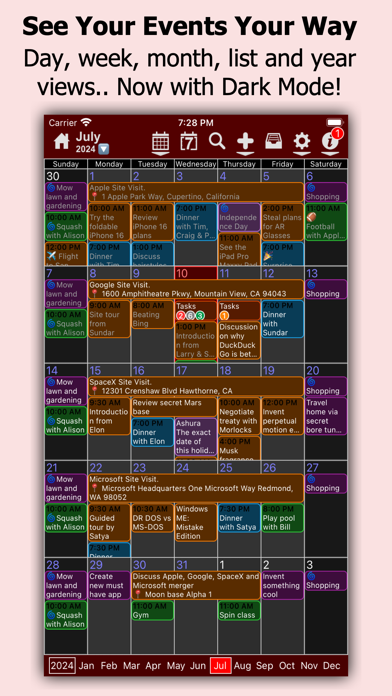
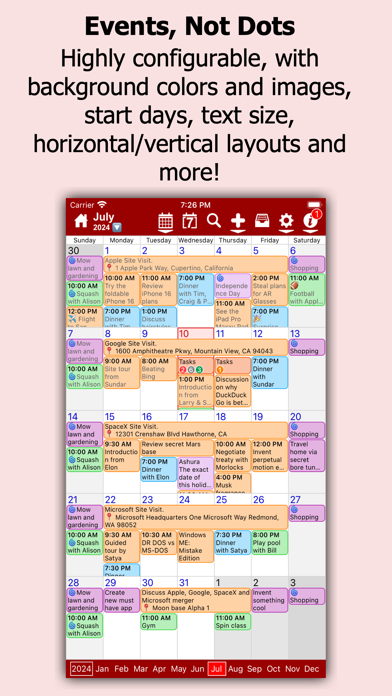
- Switch between month, week, day, list, and year calendar views.
- Use home-screen widgets, alerts, and repeat rules.
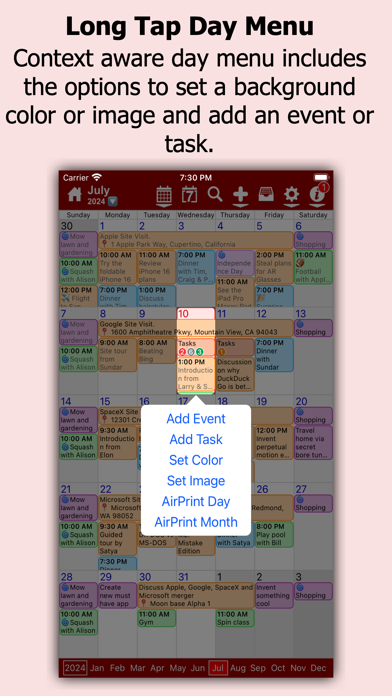
- Add event invites and connect reminders or tasks to the calendar.
- View supported iCloud, Google, Exchange, and Yahoo calendars.
A good fit for
- People who want several calendar views and reminders in one iOS app.
Worth knowing
- Calendar access and sync depend on connected account permissions and settings.
- It is not a full project-management or workforce-scheduling system.
- The US listing showed a US$2.99 paid download when checked; verify current price and iOS compatibility.
Frequently asked questions
Answers based on the app’s official listing and reviewed information.
What is myCal PRO Planner used for?
View calendars in month, week, day, list, and year layouts with widgets, reminders, task links, event invites, and repeat rules.
What can you do with myCal PRO Planner?
Switch between month, week, day, list, and year calendar views. Use home-screen widgets, alerts, and repeat rules. Add event invites and connect reminders or tasks to the calendar. View supported iCloud, Google, Exchange, and Yahoo calendars.
Who is myCal PRO Planner designed for?
People who want several calendar views and reminders in one iOS app.
What should you know before downloading myCal PRO Planner?
Calendar access and sync depend on connected account permissions and settings. It is not a full project-management or workforce-scheduling system. The US listing showed a US$2.99 paid download when checked; verify current price and iOS compatibility.
Does myCal PRO Planner include paid features?
The reviewed listing reports no in-app purchases.
Which platforms support myCal PRO Planner?
Greatooly's reviewed app information lists iOS.
Researched from official sources; this is not a hands-on review. Last checked 2026-11-03.
Keep exploring
More apps that might be a good fit.

CleanHaus: Airbnb Turnovers
CleanHaus automates short-term rental turnovers by connecting booking calendars with cleaners, schedules and property tasks.

GoalStar: Daily Goal Tracker
GoalStar makes daily goals visible with a gold-star chart, streaks, reminders, widgets and optional NFC tap tags.

Accessbox - Password Manager
Accessbox stores passwords, passkeys and verification codes in encrypted Accesscards with AutoFill, breach alerts and optional iCloud sync.