
Vector Logo Maker gives small businesses and creators a mobile design canvas for logos, icons, and brand marks. Users combine text, geometric shapes, icons, sketches, and photos, then adjust layers, paths, opacity, and Bézier nodes. Image tracing can convert a photo or sketch into editable paths, while AI can suggest logo concepts and coordinated color palettes. Core editing and a standard PNG export are free, with storage limited to two active projects. LogoMaker Pro adds more projects, premium assets, higher-resolution exports, and ad-free AI palettes; the US App Store lists monthly, yearly, and lifetime options, plus separate AI generation credits. AI concept images are raster previews rather than vector artwork, and some image layers remain raster in SVG or PDF exports. The developer also says the app does not guarantee trademark registration, so check rights and distinctiveness before using a logo commercially.

Vector Logo Maker : Design App
A vector logo editor for small brands, with AI concept previews and SVG, PDF, and PNG export.
Overview
A closer look at Vector Logo Maker : Design App.
A closer look
App screenshots
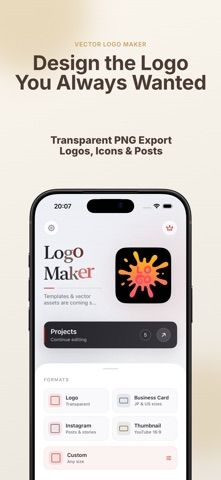
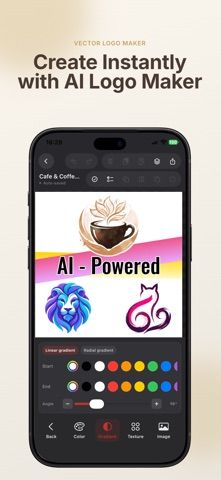
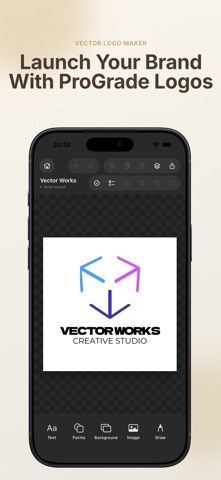
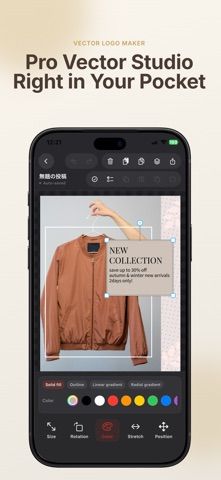
Choose with confidence
The useful details.
What it does
- Combine typography, shapes, vector assets, photos, and sketches in layered projects.
- Edit vector paths and trace images or sketches into editable contours.
- Generate AI logo concepts and color palettes, then export SVG, PDF, or PNG.
- Preview designs on mockups and use core editing offline.
A good fit for
- Small businesses and creators who want to draft brand marks and export scalable assets from iPhone or iPad.
Worth knowing
- Free editing is limited to two active projects and standard PNG export. AI concepts are raster previews, some export layers remain raster, and the app does not guarantee trademark registration.
Frequently asked questions
Answers based on the app’s official listing and reviewed information.
What is Vector Logo Maker : Design App used for?
A vector logo editor for small brands, with AI concept previews and SVG, PDF, and PNG export.
What can you do with Vector Logo Maker : Design App?
Combine typography, shapes, vector assets, photos, and sketches in layered projects. Edit vector paths and trace images or sketches into editable contours. Generate AI logo concepts and color palettes, then export SVG, PDF, or PNG. Preview designs on mockups and use core editing offline.
Who is Vector Logo Maker : Design App designed for?
Small businesses and creators who want to draft brand marks and export scalable assets from iPhone or iPad.
What should you know before downloading Vector Logo Maker : Design App?
Free editing is limited to two active projects and standard PNG export. AI concepts are raster previews, some export layers remain raster, and the app does not guarantee trademark registration.
Does Vector Logo Maker : Design App include paid features?
US App Store: LogoMaker Pro is $2.99 monthly or $14.99 yearly. US App Store: LogoMaker Pro Lifetime is $24.99; 30 AI logo generations are a separate $2.99 in-app purchase.
Which platforms support Vector Logo Maker : Design App?
Greatooly's reviewed app information lists iOS.
Researched from official sources; this is not a hands-on review. Last checked 2026-11-04.
Keep exploring
More apps that might be a good fit.

Dreamy Room: AI Room Design
Dreamy Room uses a photo of a real room to generate AI interior concepts in styles, colors, and furnishing directions you can compare.

Roomture: AI Interior Design
Roomture redesigns interior, exterior and garden photos with AI, then lets users compare, refine and save design ideas.

Verde: AI Backyard Design Plan
Verde turns photos of gardens, balconies, and rooms into AI redesigns that account for existing structures and practical dimensions.