GreatoolyGreatooly
Sketch a Day: Daily Drawing app icon

Sketch a Day: Daily Drawing

Build a daily drawing habit with fresh art prompts, tutorials, a supportive creator community, progress streaks, and monthly recaps to review your work.

By Tom HicksApp Store rating 4.8 (1,123)Official store informationPublished 2026/11/03Checked 2026-11-03

Overview

A closer look at Sketch a Day: Daily Drawing.

Sketch a Day gives artists a prompt to help get past a blank page. The listing describes a new daily theme, room to draw in any medium, and a community where members can share work, exchange comments, and encourage one another. It is aimed at both beginners and people who want a regular creative warm-up.

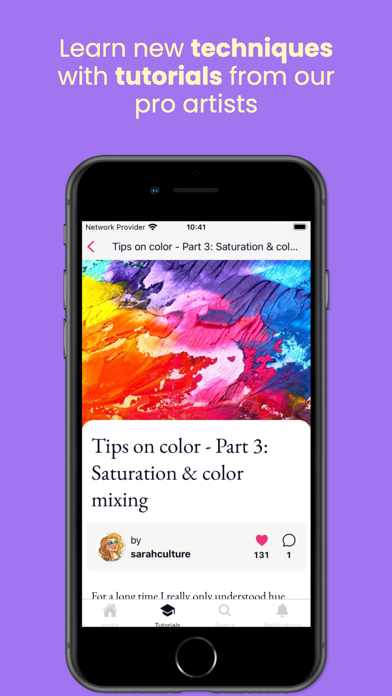
A learning section includes step-by-step video tutorials and guides. Users can keep a personal gallery, track streaks and achievements across mediums, share a multi-image view of their process, and create a recap of selected sketches at the end of a month. The app provides prompts and social motivation, while the actual drawing can happen on paper or in a separate digital tool.

The US App Store lists a free download, but the description reviewed does not clarify optional paid features. Community participation and feedback are user-generated. We have not assessed tutorial quality or moderation practices.


A closer look

App screenshots

Sketch a Day: Daily Drawing official iOS screenshot 1Sketch a Day: Daily Drawing official iOS screenshot 2Official iOS store screenshotOfficial iOS store screenshot

Choose with confidence

The useful details.

What it does

  • Get a new drawing prompt each day
  • Share sketches and process images with a creator community
  • Follow tutorials and step-by-step drawing guides
  • Track streaks and create monthly sketch recaps

A good fit for

  • Artists and beginners who want prompts and a community to support regular drawing practice

Worth knowing

  • The app provides prompts and community features rather than a complete professional drawing canvas.
  • Community feedback is user-generated; the listing does not clarify current paid-feature terms.

Frequently asked questions

Answers based on the app’s official listing and reviewed information.

What is Sketch a Day: Daily Drawing used for?

Build a daily drawing habit with fresh art prompts, tutorials, a supportive creator community, progress streaks, and monthly recaps to review your work.

What can you do with Sketch a Day: Daily Drawing?

Get a new drawing prompt each day Share sketches and process images with a creator community Follow tutorials and step-by-step drawing guides Track streaks and create monthly sketch recaps

Who is Sketch a Day: Daily Drawing designed for?

Artists and beginners who want prompts and a community to support regular drawing practice

What should you know before downloading Sketch a Day: Daily Drawing?

The app provides prompts and community features rather than a complete professional drawing canvas. Community feedback is user-generated; the listing does not clarify current paid-feature terms.

Does Sketch a Day: Daily Drawing include paid features?

The reviewed listing does not confirm current in-app purchase options.

Which platforms support Sketch a Day: Daily Drawing?

Greatooly's reviewed app information lists iOS.

Researched from official sources; this is not a hands-on review. Last checked 2026-11-03.

Keep exploring

More apps that might be a good fit.

Dreamy Room: AI Room Design

Dreamy Room uses a photo of a real room to generate AI interior concepts in styles, colors, and furnishing directions you can compare.

Roomture: AI Interior Design

Roomture redesigns interior, exterior and garden photos with AI, then lets users compare, refine and save design ideas.

Verde: AI Backyard Design Plan

Verde turns photos of gardens, balconies, and rooms into AI redesigns that account for existing structures and practical dimensions.