
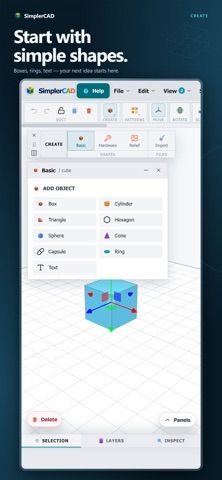
SimplerCAD is a hands-on 3D modeling app designed for iPhone. Users can build a design from basic shapes, then move, rotate, scale, and combine objects using grids and snap controls for precise placement. Different model views help inspect a project while it is being edited. Projects are saved locally in editable form and can be reopened later, then exported in formats including STL, OBJ, and GLB for use elsewhere. A built-in help center provides guides to the workspace and modeling tools. The listing says SimplerCAD does not require an account and includes banner advertising. It is positioned for makers, hobbyists, and people learning 3D modeling rather than as a desktop CAD replacement.
SimplerCAD
A mobile 3D CAD app for building models from basic shapes, adjusting dimensions, and exporting STL, OBJ, or GLB files.
By TOMMASO POTRICHReleased 2026/09/29No ratings yetOfficial store informationPublished 2026/11/04Checked 2026-11-04
Overview
A closer look at SimplerCAD.
A closer look
App screenshots
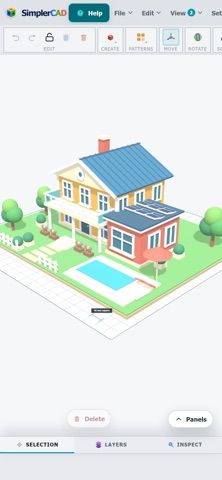
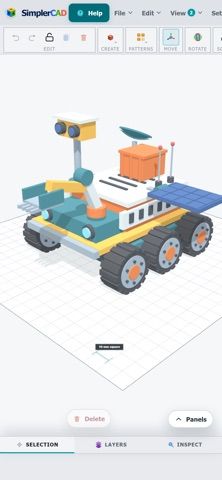
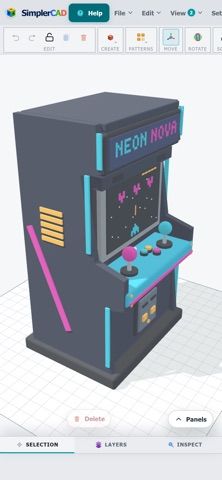
Choose with confidence
The useful details.
What it does
- Create a 3D model from basic shapes and combine objects.
- Move, rotate, scale, and position objects with grid and snap controls.
- Save editable projects locally and reopen them for further work.
- Export models as STL, OBJ, or GLB and read built-in guides.
A good fit for
- Makers and beginners who want to experiment with 3D modeling from an iPhone.
Worth knowing
- The listing describes an iPhone-focused modeling workflow and says projects are saved locally.
- The app includes banner advertising; current purchase terms are not stated in the captured listing.
Frequently asked questions
Answers based on the app’s official listing and reviewed information.
What is SimplerCAD used for?
A mobile 3D CAD app for building models from basic shapes, adjusting dimensions, and exporting STL, OBJ, or GLB files.
What can you do with SimplerCAD?
Create a 3D model from basic shapes and combine objects. Move, rotate, scale, and position objects with grid and snap controls. Save editable projects locally and reopen them for further work. Export models as STL, OBJ, or GLB and read built-in guides.
Who is SimplerCAD designed for?
Makers and beginners who want to experiment with 3D modeling from an iPhone.
What should you know before downloading SimplerCAD?
The listing describes an iPhone-focused modeling workflow and says projects are saved locally. The app includes banner advertising; current purchase terms are not stated in the captured listing.
Does SimplerCAD include paid features?
The reviewed listing does not confirm current in-app purchase options.
Which platforms support SimplerCAD?
Greatooly's reviewed app information lists iOS.
Researched from official sources; this is not a hands-on review. Last checked 2026-11-04.
Keep exploring
More apps that might be a good fit.

Dreamy Room: AI Room Design
Dreamy Room uses a photo of a real room to generate AI interior concepts in styles, colors, and furnishing directions you can compare.

Roomture: AI Interior Design
Roomture redesigns interior, exterior and garden photos with AI, then lets users compare, refine and save design ideas.

Verde: AI Backyard Design Plan
Verde turns photos of gardens, balconies, and rooms into AI redesigns that account for existing structures and practical dimensions.