
PixelIt converts photos into retro pixel art on the device. Users can choose palettes inspired by Game Boy, NES, PICO-8, and one-bit artwork, then adjust pixel resolution, color count, brightness, contrast, saturation, and dithering. The app also supports custom palettes and exporting images, GIFs, or sprite sheets for use as profile pictures, avatars, and other creative work. The developer says photos are processed locally and are never uploaded. PixelIt Premium adds more styles, palettes, and editing improvements, with monthly subscription or lifetime purchase options; captured prices were not stated. The free download includes the core photo-to-pixel conversion, but the listing does not say which export features include a watermark or require Premium beyond the listed removal option. This is a focused transform tool, not a full pixel-art drawing or animation editor.

PixelIt - Photo to Pixel Art
A photo-to-pixel-art editor with retro palettes, adjustable resolution, color controls, dithering, and on-device processing.
Overview
A closer look at PixelIt - Photo to Pixel Art.
A closer look
App screenshots
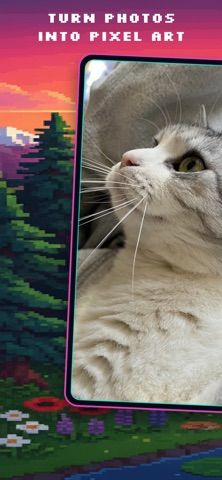
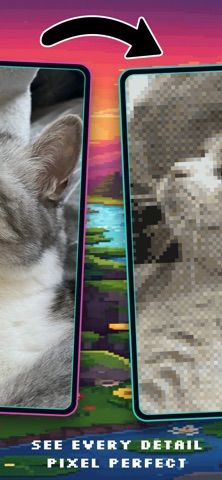
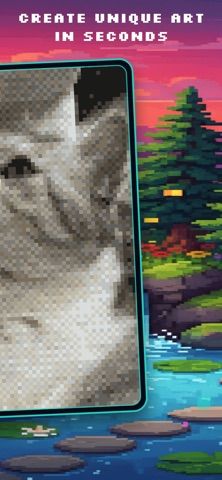
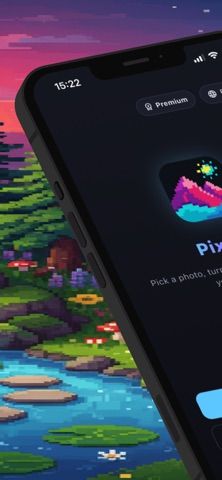
Choose with confidence
The useful details.
What it does
- Convert photos using retro palettes such as Game Boy, NES, PICO-8, and 1-bit.
- Adjust resolution from 16px to 256px and set color counts from 2 to 64.
- Tune brightness, contrast, saturation, and dithering or use custom palettes.
- Export pixel images, GIFs, or sprite sheets after processing on-device.
A good fit for
- People who want to turn photos into retro-style pixel art without uploading images.
Worth knowing
- Premium is required for additional styles, palettes, and editing improvements; prices were not stated.
- The listing describes photo conversion, not a complete frame-by-frame pixel-art editor.
- Some export or watermark options may depend on Premium; confirm the current limits before starting a project.
Frequently asked questions
Answers based on the app’s official listing and reviewed information.
What is PixelIt - Photo to Pixel Art used for?
A photo-to-pixel-art editor with retro palettes, adjustable resolution, color controls, dithering, and on-device processing.
What can you do with PixelIt - Photo to Pixel Art?
Convert photos using retro palettes such as Game Boy, NES, PICO-8, and 1-bit. Adjust resolution from 16px to 256px and set color counts from 2 to 64. Tune brightness, contrast, saturation, and dithering or use custom palettes. Export pixel images, GIFs, or sprite sheets after processing on-device.
Who is PixelIt - Photo to Pixel Art designed for?
People who want to turn photos into retro-style pixel art without uploading images.
What should you know before downloading PixelIt - Photo to Pixel Art?
Premium is required for additional styles, palettes, and editing improvements; prices were not stated. The listing describes photo conversion, not a complete frame-by-frame pixel-art editor. Some export or watermark options may depend on Premium; confirm the current limits before starting a project.
Does PixelIt - Photo to Pixel Art include paid features?
PixelIt Premium is available as a monthly subscription. The captured listing did not state the price. A lifetime purchase for PixelIt Premium is available. The captured listing did not state the price.
Which platforms support PixelIt - Photo to Pixel Art?
Greatooly's reviewed app information lists iOS.
Researched from official sources; this is not a hands-on review. Last checked 2026-11-04.
Keep exploring
More apps that might be a good fit.

Dreamy Room: AI Room Design
Dreamy Room uses a photo of a real room to generate AI interior concepts in styles, colors, and furnishing directions you can compare.

Roomture: AI Interior Design
Roomture redesigns interior, exterior and garden photos with AI, then lets users compare, refine and save design ideas.

Verde: AI Backyard Design Plan
Verde turns photos of gardens, balconies, and rooms into AI redesigns that account for existing structures and practical dimensions.