
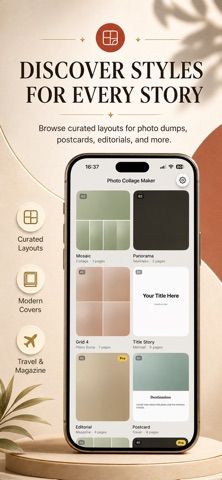
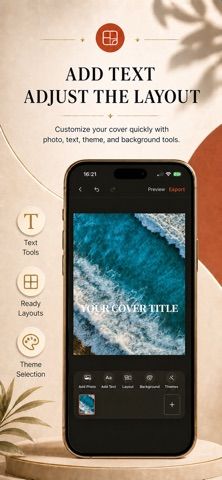
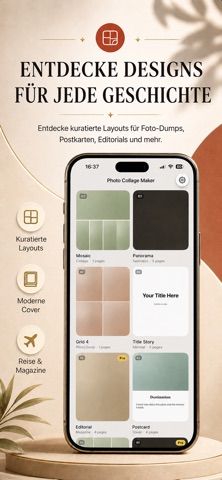
Photo Maker Collage Editor is a mobile design app for combining pictures and video into shareable layouts. The listing describes more than 500 templates and frames, classic grids and free-style arrangements, and layouts for swipeable Instagram posts. It also offers film-inspired borders, seasonal designs, before-and-after compositions, photo strips, and ready-made sizes for platforms such as Stories, TikTok, Reels, and Pinterest. Users can make small adjustments to rotation, mirroring, borders, and alignment, and the app advertises background removal for cutouts and stickers. The download is free, but unlimited edits and the full premium toolset require a weekly, monthly, or yearly auto-renewing subscription. Review the current App Store terms for price and trial eligibility before starting.
Photo Maker Collage Editor
A collage editor for combining photos and videos with social templates, carousel layouts, and background removal.
Overview
A closer look at Photo Maker Collage Editor.
A closer look
App screenshots
Choose with confidence
The useful details.
What it does
- Choose from more than 500 templates, frames, and layout styles
- Create swipeable social posts and platform-sized designs
- Combine photos and videos and use background removal for cutouts
- Adjust rotation, mirroring, borders, and alignment
A good fit for
- Social media creators who want to assemble photo or video collages on iPhone
- People making themed albums, carousel posts, or before-and-after images
Worth knowing
- Unlimited editing and full access to premium tools require an auto-renewing weekly, monthly, or yearly subscription.
Frequently asked questions
Answers based on the app’s official listing and reviewed information.
What is Photo Maker Collage Editor used for?
A collage editor for combining photos and videos with social templates, carousel layouts, and background removal.
What can you do with Photo Maker Collage Editor?
Choose from more than 500 templates, frames, and layout styles Create swipeable social posts and platform-sized designs Combine photos and videos and use background removal for cutouts Adjust rotation, mirroring, borders, and alignment
Who is Photo Maker Collage Editor designed for?
Social media creators who want to assemble photo or video collages on iPhone People making themed albums, carousel posts, or before-and-after images
What should you know before downloading Photo Maker Collage Editor?
Unlimited editing and full access to premium tools require an auto-renewing weekly, monthly, or yearly subscription.
Does Photo Maker Collage Editor include paid features?
The app is free to download; the listing describes a subscription for full premium access. Premium is offered weekly, monthly, or yearly and unlocks unlimited edits and premium tools; price and any trial are shown by Apple.
Which platforms support Photo Maker Collage Editor?
Greatooly's reviewed app information lists iOS.
Researched from official sources; this is not a hands-on review. Last checked 2026-11-04.
Keep exploring
More apps that might be a good fit.

Dreamy Room: AI Room Design
Dreamy Room uses a photo of a real room to generate AI interior concepts in styles, colors, and furnishing directions you can compare.

Roomture: AI Interior Design
Roomture redesigns interior, exterior and garden photos with AI, then lets users compare, refine and save design ideas.

Verde: AI Backyard Design Plan
Verde turns photos of gardens, balconies, and rooms into AI redesigns that account for existing structures and practical dimensions.