
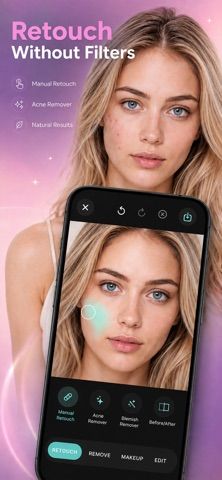
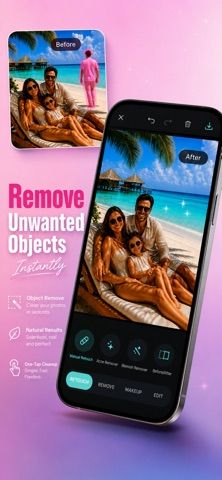
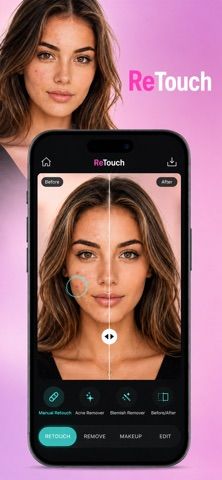
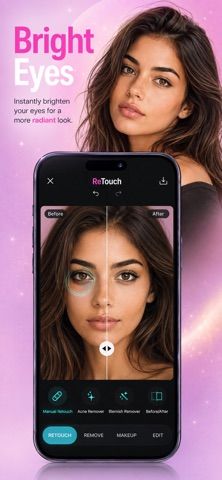
Photo Editor - Retouch & Remove focuses on subtle portrait adjustments rather than strong beauty filters. Users can smooth skin, reduce blemishes, brighten eyes, whiten teeth, refine hair details, or remove distracting backgrounds. The workflow is built for selfies, profile photos, headshots, and everyday portraits: choose an image, select an adjustment, and preview a refined result. The app is free to download, while its listing describes auto-renewing subscriptions for some access; current prices and included limits are not clearly shown in the verified description. Photo editing can alter personal images, so review photo-library permissions and the developer’s privacy policy before importing sensitive pictures. Results depend on lighting, resolution, and the selected enhancement, and users should inspect edits for artifacts before sharing. The tool does not replace professional retouching for complex composites or detailed image restoration.

Photo Editor -Retouch & Remove
A portrait retouching editor for natural skin refinement, eye and hair adjustments, background cleanup, and subscription features.
Overview
A closer look at Photo Editor -Retouch & Remove.
A closer look
App screenshots
Choose with confidence
The useful details.
What it does
- Smooth skin and reduce small blemishes while retaining visible texture.
- Adjust eyes, teeth, hair details, and distracting background elements.
- Apply subtle portrait edits to selfies, profile pictures, or headshots.
- Preview changes before saving or sharing an edited photo.
A good fit for
- People who want quick, subtle portrait cleanup without a complex editing workflow.
Worth knowing
- Some features use auto-renewing subscriptions; prices and access limits were not clear in the verified listing text. Review photo access and privacy terms before importing sensitive images, and inspect edits for artifacts.
Frequently asked questions
Answers based on the app’s official listing and reviewed information.
What is Photo Editor -Retouch & Remove used for?
A portrait retouching editor for natural skin refinement, eye and hair adjustments, background cleanup, and subscription features.
What can you do with Photo Editor -Retouch & Remove?
Smooth skin and reduce small blemishes while retaining visible texture. Adjust eyes, teeth, hair details, and distracting background elements. Apply subtle portrait edits to selfies, profile pictures, or headshots. Preview changes before saving or sharing an edited photo.
Who is Photo Editor -Retouch & Remove designed for?
People who want quick, subtle portrait cleanup without a complex editing workflow.
What should you know before downloading Photo Editor -Retouch & Remove?
Some features use auto-renewing subscriptions; prices and access limits were not clear in the verified listing text. Review photo access and privacy terms before importing sensitive images, and inspect edits for artifacts.
Does Photo Editor -Retouch & Remove include paid features?
The listing describes auto-renewing subscriptions; check current US prices, included features, and cancellation terms in the App Store.
Which platforms support Photo Editor -Retouch & Remove?
Greatooly's reviewed app information lists iOS.
Researched from official sources; this is not a hands-on review. Last checked 2026-11-04.
Keep exploring
More apps that might be a good fit.

Dreamy Room: AI Room Design
Dreamy Room uses a photo of a real room to generate AI interior concepts in styles, colors, and furnishing directions you can compare.

Roomture: AI Interior Design
Roomture redesigns interior, exterior and garden photos with AI, then lets users compare, refine and save design ideas.

Verde: AI Backyard Design Plan
Verde turns photos of gardens, balconies, and rooms into AI redesigns that account for existing structures and practical dimensions.