
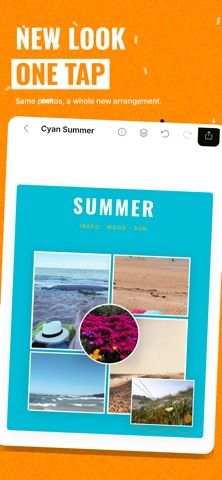
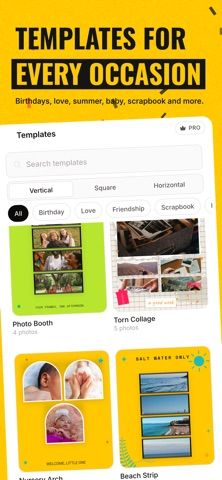
Photo Collage Maker is a mobile design app for combining pictures into collages, cards, and social graphics. Start with a grid or template, then move, resize, rotate, and arrange photos while adjusting borders, spacing, and corners. Editing tools cover crop, color, exposure, sharpness, filters, and effects. The app also includes stickers, emojis, fonts, frames, and backgrounds for invitations, posters, quotes, or family albums. A background-removal tool can create a transparent PNG or place a subject against a replacement color or scene. The listing presents it as an all-in-one option for personal memories and social content, but does not specify current pricing, watermarks, or export limits. Check the app's purchase screen and output settings before using it for a client deliverable or print order.

Photo Collage Maker - Layouts
Photo Collage Maker combines photo layouts, editing controls, filters, stickers, text, background removal, and design templates for social posts, albums, invitations, and cards. It supports adjusting crop, color, borders, and arrangement, and can export transparent PNGs after removing backgrounds. Pricing is not specified in the listing description.
Overview
A closer look at Photo Collage Maker - Layouts.
A closer look
App screenshots

Choose with confidence
The useful details.
What it does
- Collage grids and templates with adjustable photo placement
- Photo crop, color, exposure, filters, and effects
- Background removal with transparent PNG output
- Stickers, text, frames, and backgrounds for cards or posts
A good fit for
- People making quick collages, cards, and social graphics
- Users who want basic photo edits and layouts in one app
Worth knowing
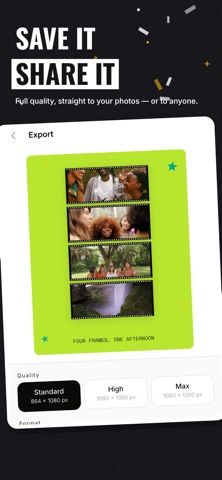
- The listing does not specify pricing, watermarks, or export limits; check output settings before preparing paid or print work.
Frequently asked questions
Answers based on the app’s official listing and reviewed information.
What is Photo Collage Maker - Layouts used for?
Photo Collage Maker combines photo layouts, editing controls, filters, stickers, text, background removal, and design templates for social posts, albums, invitations, and cards. It supports adjusting crop, color, borders, and arrangement, and can export transparent PNGs after removing backgrounds. Pricing is not specified in the listing description.
What can you do with Photo Collage Maker - Layouts?
Collage grids and templates with adjustable photo placement Photo crop, color, exposure, filters, and effects Background removal with transparent PNG output Stickers, text, frames, and backgrounds for cards or posts
Who is Photo Collage Maker - Layouts designed for?
People making quick collages, cards, and social graphics Users who want basic photo edits and layouts in one app
What should you know before downloading Photo Collage Maker - Layouts?
The listing does not specify pricing, watermarks, or export limits; check output settings before preparing paid or print work.
Does Photo Collage Maker - Layouts include paid features?
The reviewed listing does not confirm current in-app purchase options.
Which platforms support Photo Collage Maker - Layouts?
Greatooly's reviewed app information lists iOS.
Researched from official sources; this is not a hands-on review. Last checked 2026-11-04.
Keep exploring
More apps that might be a good fit.

Dreamy Room: AI Room Design
Dreamy Room uses a photo of a real room to generate AI interior concepts in styles, colors, and furnishing directions you can compare.

Roomture: AI Interior Design
Roomture redesigns interior, exterior and garden photos with AI, then lets users compare, refine and save design ideas.

Verde: AI Backyard Design Plan
Verde turns photos of gardens, balconies, and rooms into AI redesigns that account for existing structures and practical dimensions.