
Mashcut is a vertical video editor aimed at creators producing user-generated content and ads. The listing describes two workflows: record one take and create several edits with different hooks, or combine selected hooks and demonstration clips into short videos. It says the editor can remove repeated takes, pauses, and dead air, then add captions based on the user's spoken words. Creators can adjust captions, replace takes, and trim clips before exporting 1080 by 1920 MP4 files. A Creator or Pro subscription is required to make, edit, and export videos; new subscribers are offered a three-day trial and monthly credits. Extra credit packs are separate purchases, usable while a subscription is active. The US listing had one rating when checked, so evaluate the editing workflow and export quality before committing to a plan.

Mashcut: UGC Video Editor
Turn filmed product demonstrations into vertical UGC videos with automatic cuts, captions, and editable hooks.
Overview
A closer look at Mashcut: UGC Video Editor.
A closer look
App screenshots
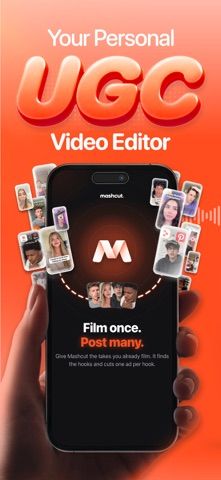
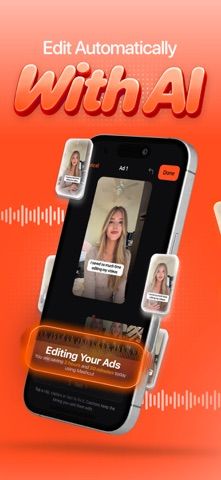
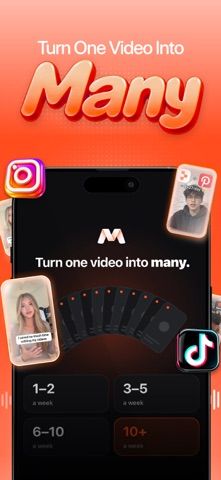

Choose with confidence
The useful details.
What it does
- Create vertical edits from a single recording or a mix of hooks and demonstration clips.
- Remove repeated takes and pauses and add captions from spoken words.
- Edit hooks, captions, clip choices, and trims before exporting.
- Export 1080×1920 MP4 videos for social or ad workflows.
A good fit for
- UGC creators and small marketing teams who regularly edit short vertical product videos.
Worth knowing
- A Creator or Pro subscription is required to make, edit, and export; verify credit allowances, price, and renewal terms.
- Extra credit packs are separate purchases and are usable only while a subscription is active.
- The listing had one rating when checked; review output quality and privacy terms before uploading client footage.
Frequently asked questions
Answers based on the app’s official listing and reviewed information.
What is Mashcut: UGC Video Editor used for?
Turn filmed product demonstrations into vertical UGC videos with automatic cuts, captions, and editable hooks.
What can you do with Mashcut: UGC Video Editor?
Create vertical edits from a single recording or a mix of hooks and demonstration clips. Remove repeated takes and pauses and add captions from spoken words. Edit hooks, captions, clip choices, and trims before exporting. Export 1080×1920 MP4 videos for social or ad workflows.
Who is Mashcut: UGC Video Editor designed for?
UGC creators and small marketing teams who regularly edit short vertical product videos.
What should you know before downloading Mashcut: UGC Video Editor?
A Creator or Pro subscription is required to make, edit, and export; verify credit allowances, price, and renewal terms. Extra credit packs are separate purchases and are usable only while a subscription is active. The listing had one rating when checked; review output quality and privacy terms before uploading client footage.
Does Mashcut: UGC Video Editor include paid features?
Creator and Pro subscriptions are monthly or yearly, with a three-day trial for new users; extra credit packs are separate purchases. Prices are shown in the app before purchase.
Which platforms support Mashcut: UGC Video Editor?
Greatooly's reviewed app information lists iOS.
Researched from official sources; this is not a hands-on review. Last checked 2026-11-04.
Keep exploring
More apps that might be a good fit.

Dreamy Room: AI Room Design
Dreamy Room uses a photo of a real room to generate AI interior concepts in styles, colors, and furnishing directions you can compare.

Roomture: AI Interior Design
Roomture redesigns interior, exterior and garden photos with AI, then lets users compare, refine and save design ideas.

Verde: AI Backyard Design Plan
Verde turns photos of gardens, balconies, and rooms into AI redesigns that account for existing structures and practical dimensions.