
Luna Forge is an AI-assisted 3D creation app for turning an image or a written idea into a model to continue editing elsewhere. Users can start from one photo, several reference views, or a text prompt, then preview the result in a 3D viewer. Image tools include background removal, upscaling, and style changes before model generation. Export options listed by the developer include STL and 3MF for printing, GLB for web or real-time projects, OBJ for modeling tools, FBX for game and animation workflows, and USDZ for Apple AR. The developer describes generated models as starting points that need inspection and adjustment before production or printing. Generations and tools use credits, with subscriptions and credit packs priced inside the app.
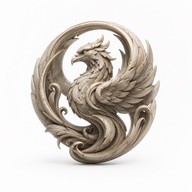
Luna Forge - Photo to 3D Model
Luna Forge creates 3D models from text prompts, a single photo, or multiple views, and can prepare images before generation. Users can preview and export formats for 3D printing, games, design, and AR. Generations and creative tools use credits; subscriptions and credit packs are available, with current prices shown in the app.
Overview
A closer look at Luna Forge - Photo to 3D Model.
A closer look
App screenshots
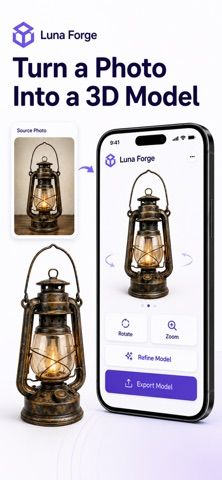
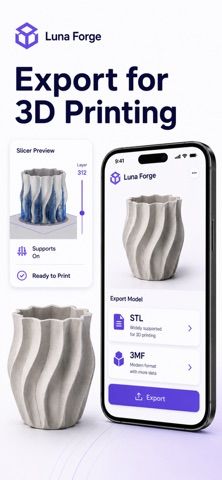
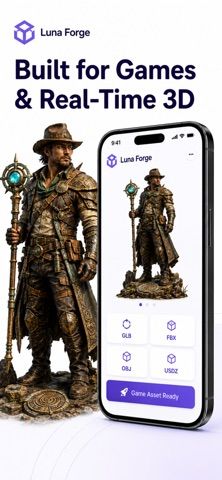
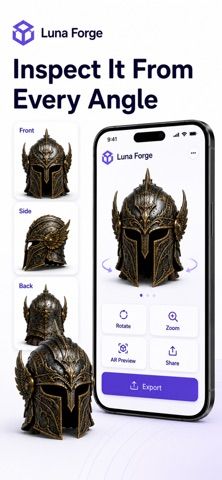
Choose with confidence
The useful details.
What it does
- Generate 3D models from text, a single image, or multiple views
- Prepare images with background removal, upscaling, and style options
- Preview models before export
- Export formats for 3D printing, modeling, games, and AR
A good fit for
- Makers exploring 3D-printable concepts from photos or prompts
- Creators who need a starting model for a design or game workflow
Worth knowing
- AI-generated models need inspection and editing before production use; generations consume credits and current prices are shown in-app.
Frequently asked questions
Answers based on the app’s official listing and reviewed information.
What is Luna Forge - Photo to 3D Model used for?
Luna Forge creates 3D models from text prompts, a single photo, or multiple views, and can prepare images before generation. Users can preview and export formats for 3D printing, games, design, and AR. Generations and creative tools use credits; subscriptions and credit packs are available, with current prices shown in the app.
What can you do with Luna Forge - Photo to 3D Model?
Generate 3D models from text, a single image, or multiple views Prepare images with background removal, upscaling, and style options Preview models before export Export formats for 3D printing, modeling, games, and AR
Who is Luna Forge - Photo to 3D Model designed for?
Makers exploring 3D-printable concepts from photos or prompts Creators who need a starting model for a design or game workflow
What should you know before downloading Luna Forge - Photo to 3D Model?
AI-generated models need inspection and editing before production use; generations consume credits and current prices are shown in-app.
Does Luna Forge - Photo to 3D Model include paid features?
Subscriptions are available; current plans and prices are shown in the app.
Which platforms support Luna Forge - Photo to 3D Model?
Greatooly's reviewed app information lists iOS.
Researched from official sources; this is not a hands-on review. Last checked 2026-11-04.
Keep exploring
More apps that might be a good fit.

Dreamy Room: AI Room Design
Dreamy Room uses a photo of a real room to generate AI interior concepts in styles, colors, and furnishing directions you can compare.

Roomture: AI Interior Design
Roomture redesigns interior, exterior and garden photos with AI, then lets users compare, refine and save design ideas.

Verde: AI Backyard Design Plan
Verde turns photos of gardens, balconies, and rooms into AI redesigns that account for existing structures and practical dimensions.