
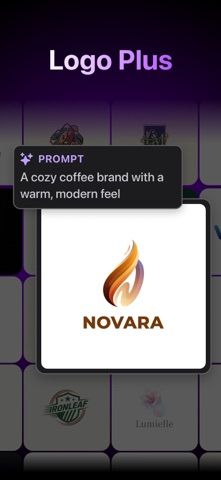
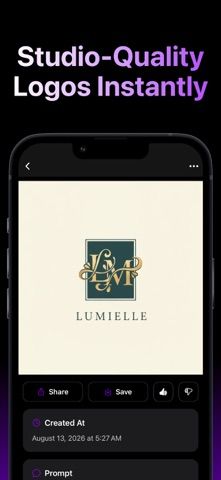
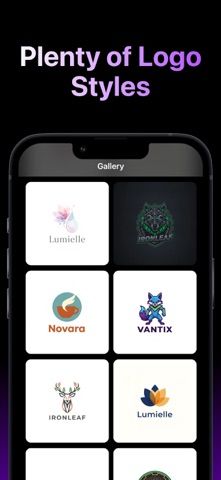
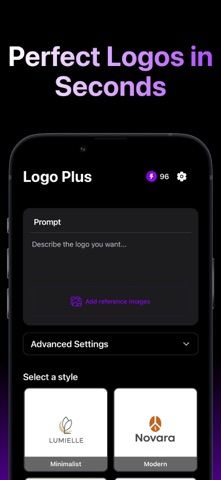
Logo Plus helps small businesses and creators generate a logo from a short brand description. Users enter a business name, choose a style, and can optionally add an inspiration image. The app offers AI editing for layout or wording, background removal, image upscaling, color variations, product mockups, and social media assets. Matching icons can also be created for apps and brands. The listing describes more than 45 logo styles and mockups for merchandise, packaging, storefronts, and other products. Logo Plus runs on credits, and additional logo designs and premium features are available through in-app purchases. The listing does not state credit bundles or prices, so users should review the available purchase terms before generating or exporting work at scale.

Logo Plus: AI Logo Maker
An AI logo and brand design app for generating business marks, refining them, making mockups, and creating social assets.
Overview
A closer look at Logo Plus: AI Logo Maker.
A closer look
App screenshots
Choose with confidence
The useful details.
What it does
- Generate logo directions from a business name, brand description, and optional reference image.
- Refine a logo with AI prompts, remove backgrounds, upscale artwork, or create color variants.
- Preview designs on products and signs with mockups.
- Create social media assets and matching app or brand icons.
A good fit for
- Startups, small shops, and creators who want quick logo concepts and supporting brand assets.
Worth knowing
- Logo generation uses credits, and extra designs or premium features require in-app purchases.
- The listing does not state credit bundle sizes or purchase prices.
Frequently asked questions
Answers based on the app’s official listing and reviewed information.
What is Logo Plus: AI Logo Maker used for?
An AI logo and brand design app for generating business marks, refining them, making mockups, and creating social assets.
What can you do with Logo Plus: AI Logo Maker?
Generate logo directions from a business name, brand description, and optional reference image. Refine a logo with AI prompts, remove backgrounds, upscale artwork, or create color variants. Preview designs on products and signs with mockups. Create social media assets and matching app or brand icons.
Who is Logo Plus: AI Logo Maker designed for?
Startups, small shops, and creators who want quick logo concepts and supporting brand assets.
What should you know before downloading Logo Plus: AI Logo Maker?
Logo generation uses credits, and extra designs or premium features require in-app purchases. The listing does not state credit bundle sizes or purchase prices.
Does Logo Plus: AI Logo Maker include paid features?
The reviewed listing does not confirm current in-app purchase options.
Which platforms support Logo Plus: AI Logo Maker?
Greatooly's reviewed app information lists iOS.
Researched from official sources; this is not a hands-on review. Last checked 2026-11-04.
Keep exploring
More apps that might be a good fit.

Dreamy Room: AI Room Design
Dreamy Room uses a photo of a real room to generate AI interior concepts in styles, colors, and furnishing directions you can compare.

Roomture: AI Interior Design
Roomture redesigns interior, exterior and garden photos with AI, then lets users compare, refine and save design ideas.

Verde: AI Backyard Design Plan
Verde turns photos of gardens, balconies, and rooms into AI redesigns that account for existing structures and practical dimensions.