
Logo Maker & AI Logo Creator turns a short business description into draft identity assets. Enter a brand name and tagline, choose a style and color palette, and generate logo options to refine or vary. The listing describes a brand kit with colors and font pairings, profile and banner sizes for major social networks, product mockups, and a one-page brand-book PDF. Exports include high-resolution PNG and transparent PNG. The app is free to download, while Logo Maker Pro is an auto-renewing weekly or monthly subscription. The description does not specify the current price or usage limits. AI-generated logos are starting points rather than a guarantee of trademark availability or originality, so businesses should review rights, distinctiveness, and production files before using a mark commercially.

Logo Maker & AI Logo Creator
An AI logo and brand-kit maker for generating visual identities, social banners, product mockups, and brand-book PDFs.
Overview
A closer look at Logo Maker & AI Logo Creator.
A closer look
App screenshots
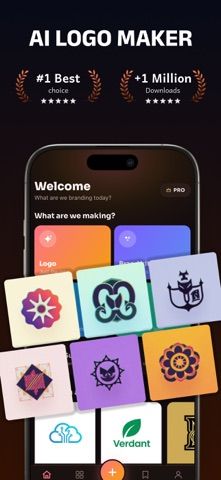
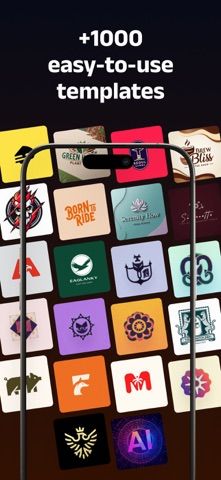
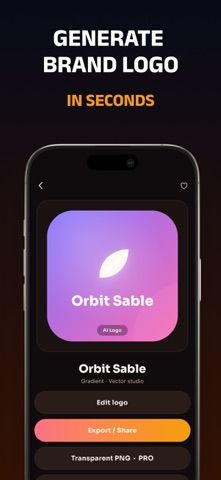
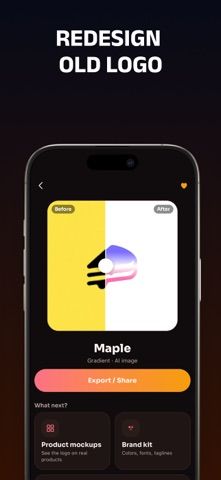
Choose with confidence
The useful details.
What it does
- Generate logo concepts from a brand name, tagline, style, and palette
- Build a brand kit with colors and font pairings
- Create social profile images, banners, product mockups, and a brand-book PDF
- Export high-resolution and transparent PNG images
A good fit for
- Small businesses and creators who need a quick first draft of a visual identity
- People preparing social profile assets and mockups alongside a logo concept
Worth knowing
- Full premium styles and brand assets require an auto-renewing weekly or monthly subscription; AI output should be checked for trademark conflicts before commercial use.
Frequently asked questions
Answers based on the app’s official listing and reviewed information.
What is Logo Maker & AI Logo Creator used for?
An AI logo and brand-kit maker for generating visual identities, social banners, product mockups, and brand-book PDFs.
What can you do with Logo Maker & AI Logo Creator?
Generate logo concepts from a brand name, tagline, style, and palette Build a brand kit with colors and font pairings Create social profile images, banners, product mockups, and a brand-book PDF Export high-resolution and transparent PNG images
Who is Logo Maker & AI Logo Creator designed for?
Small businesses and creators who need a quick first draft of a visual identity People preparing social profile assets and mockups alongside a logo concept
What should you know before downloading Logo Maker & AI Logo Creator?
Full premium styles and brand assets require an auto-renewing weekly or monthly subscription; AI output should be checked for trademark conflicts before commercial use.
Does Logo Maker & AI Logo Creator include paid features?
The app is free to download; premium features are sold through Logo Maker Pro. Logo Maker Pro is available as a weekly or monthly auto-renewing subscription; current prices are shown by Apple.
Which platforms support Logo Maker & AI Logo Creator?
Greatooly's reviewed app information lists iOS.
Researched from official sources; this is not a hands-on review. Last checked 2026-11-04.
Keep exploring
More apps that might be a good fit.

Dreamy Room: AI Room Design
Dreamy Room uses a photo of a real room to generate AI interior concepts in styles, colors, and furnishing directions you can compare.

Roomture: AI Interior Design
Roomture redesigns interior, exterior and garden photos with AI, then lets users compare, refine and save design ideas.

Verde: AI Backyard Design Plan
Verde turns photos of gardens, balconies, and rooms into AI redesigns that account for existing structures and practical dimensions.