
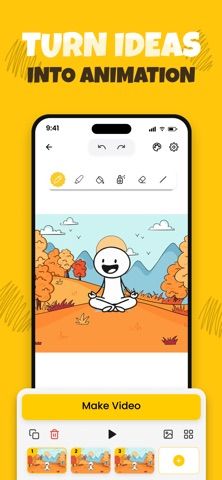
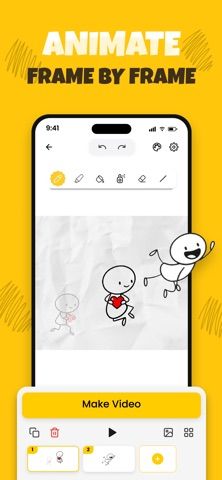
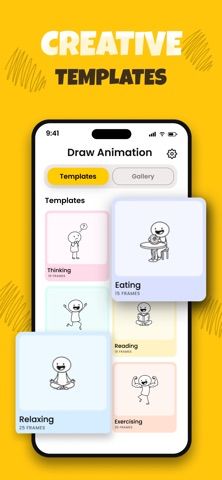
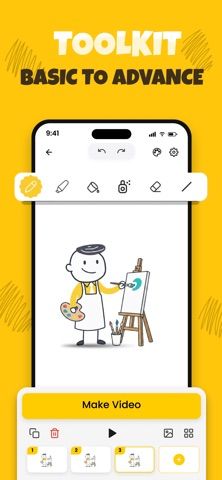
Flipbook: 2D Animation Creator is a drawing app for building short animations one frame at a time. Users can sketch on a canvas, use onion-skin guidance to align a new frame with the previous one, and work with brushes, shapes, fill tools, and custom backgrounds. The listing says projects can be exported as GIFs or HD video and shared from the phone or tablet. It may suit beginners exploring animation as well as creators making storyboards, memes, or short clips. The description does not clearly state whether advanced tools or export options require payment, so check the app’s current limits before starting a large project. Frame-by-frame drawing takes practice, and the app is not a substitute for a desktop animation pipeline on complex productions.

Flipbook: 2D Animation Creator
A frame-by-frame 2D animation app with onion-skin drawing, customizable backgrounds, and GIF or video export.
Overview
A closer look at Flipbook: 2D Animation Creator.
A closer look
App screenshots
Choose with confidence
The useful details.
What it does
- Creates animations by drawing frames individually with onion-skin alignment.
- Includes brushes, fill tools, shapes, canvas sizes, and custom backgrounds.
- Exports projects as GIFs or video files for sharing.
A good fit for
- Beginners learning frame-by-frame animation on a mobile device.
- Artists creating short cartoons, storyboards, memes, or animated clips.
Worth knowing
- The listing does not clearly explain pricing or export limits; complex animation workflows may be better suited to desktop software.
Frequently asked questions
Answers based on the app’s official listing and reviewed information.
What is Flipbook: 2D Animation Creator used for?
A frame-by-frame 2D animation app with onion-skin drawing, customizable backgrounds, and GIF or video export.
What can you do with Flipbook: 2D Animation Creator?
Creates animations by drawing frames individually with onion-skin alignment. Includes brushes, fill tools, shapes, canvas sizes, and custom backgrounds. Exports projects as GIFs or video files for sharing.
Who is Flipbook: 2D Animation Creator designed for?
Beginners learning frame-by-frame animation on a mobile device. Artists creating short cartoons, storyboards, memes, or animated clips.
What should you know before downloading Flipbook: 2D Animation Creator?
The listing does not clearly explain pricing or export limits; complex animation workflows may be better suited to desktop software.
Does Flipbook: 2D Animation Creator include paid features?
The reviewed listing does not confirm current in-app purchase options.
Which platforms support Flipbook: 2D Animation Creator?
Greatooly's reviewed app information lists iOS.
Researched from official sources; this is not a hands-on review. Last checked 2026-11-04.
Keep exploring
More apps that might be a good fit.

Dreamy Room: AI Room Design
Dreamy Room uses a photo of a real room to generate AI interior concepts in styles, colors, and furnishing directions you can compare.

Roomture: AI Interior Design
Roomture redesigns interior, exterior and garden photos with AI, then lets users compare, refine and save design ideas.

Verde: AI Backyard Design Plan
Verde turns photos of gardens, balconies, and rooms into AI redesigns that account for existing structures and practical dimensions.