
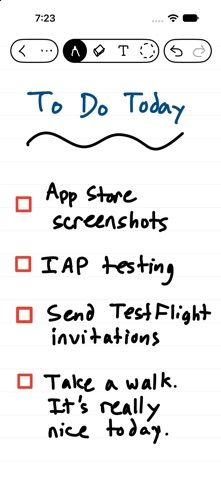
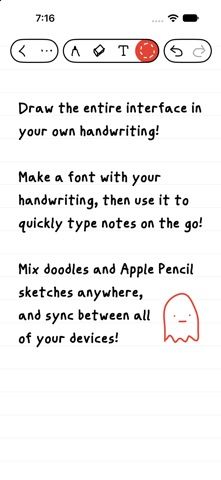
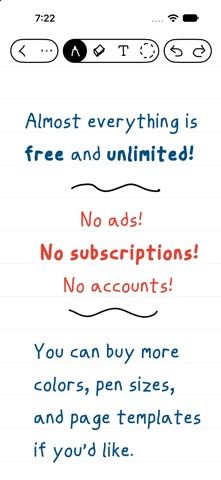
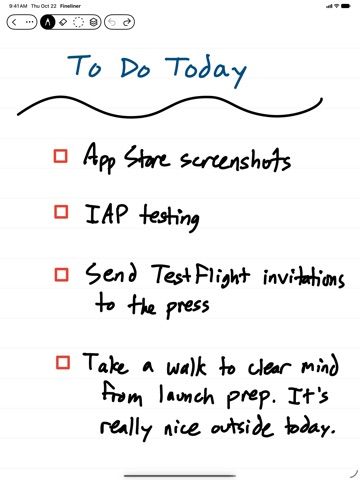
Fineliner is a notebook and drawing app designed around Apple Pencil and vector ink. The listing describes notes and doodles that remain sharp when zoomed, layered drawing, automatic shape recognition, handwritten navigation links, and search across handwriting and image descriptions. Notebooks can be shared for real-time collaboration, locked with Face ID or Touch ID, and exported as SVG, PDF, or images. The developer says the app has no ads, account, login, or subscription, and that iCloud sync and collaboration are free. Optional one-time, family-shared purchases add colors, pen widths, and templates. The App Store listing had 156 ratings averaging about 4.8 when checked, a larger early sample than many new apps, though individual workflows should still be tested. Check Apple Pencil and iOS compatibility before moving existing notes.
Fineliner
Write, sketch, and organize vector notebooks with handwriting search, collaboration, and Apple Pencil support.
Overview
A closer look at Fineliner.
A closer look
App screenshots
Choose with confidence
The useful details.
What it does
- Write and draw with vector ink that stays sharp when scaled or rotated.
- Use layers, shape recognition, notebook links, and handwriting search.
- Collaborate in shared notebooks and lock notebooks with biometric authentication.
- Export notebooks as SVG, PDF, images, or a custom TTF handwriting font.
A good fit for
- Apple Pencil users who want a notebook that combines handwriting, sketching, and vector drawing.
Worth knowing
- Some colors, pen widths, and templates are optional one-time purchases; verify the current price in the store.
- Real-time sharing and sync rely on iCloud and collaborator setup.
- The listing had 156 ratings when checked; ratings do not guarantee a fit for each note-taking workflow.
Frequently asked questions
Answers based on the app’s official listing and reviewed information.
What is Fineliner used for?
Write, sketch, and organize vector notebooks with handwriting search, collaboration, and Apple Pencil support.
What can you do with Fineliner?
Write and draw with vector ink that stays sharp when scaled or rotated. Use layers, shape recognition, notebook links, and handwriting search. Collaborate in shared notebooks and lock notebooks with biometric authentication. Export notebooks as SVG, PDF, images, or a custom TTF handwriting font.
Who is Fineliner designed for?
Apple Pencil users who want a notebook that combines handwriting, sketching, and vector drawing.
What should you know before downloading Fineliner?
Some colors, pen widths, and templates are optional one-time purchases; verify the current price in the store. Real-time sharing and sync rely on iCloud and collaborator setup. The listing had 156 ratings when checked; ratings do not guarantee a fit for each note-taking workflow.
Does Fineliner include paid features?
The core app is described as free; optional colors, pen widths, and templates are one-time family-shared purchases. Verify current prices.
Which platforms support Fineliner?
Greatooly's reviewed app information lists iOS.
Researched from official sources; this is not a hands-on review. Last checked 2026-11-04.
Keep exploring
More apps that might be a good fit.

Dreamy Room: AI Room Design
Dreamy Room uses a photo of a real room to generate AI interior concepts in styles, colors, and furnishing directions you can compare.

Roomture: AI Interior Design
Roomture redesigns interior, exterior and garden photos with AI, then lets users compare, refine and save design ideas.

Verde: AI Backyard Design Plan
Verde turns photos of gardens, balconies, and rooms into AI redesigns that account for existing structures and practical dimensions.