GreatoolyGreatooly
Dudel Draw app icon

Dudel Draw

Turn a daily shape into an original doodle by rotating, zooming, and drawing, then save and share your interpretation.

By Silly Little Apps LLCApp Store rating 4.8 (568)Official store informationPublished 2026/11/03Checked 2026-11-03

Overview

A closer look at Dudel Draw.

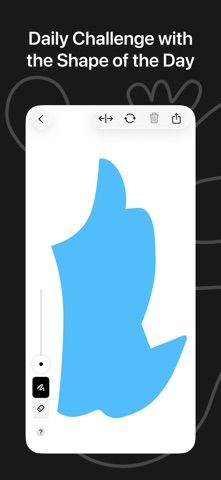
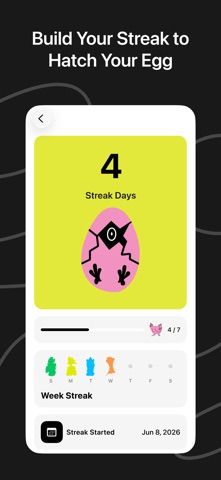
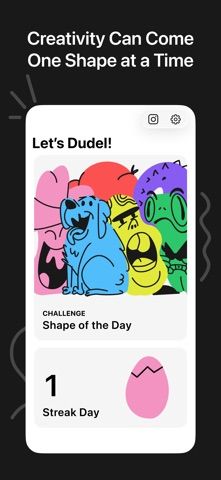
Dudel Draw is a daily drawing prompt built around one starting shape. Each day, users can flip, rotate, or zoom the shape and turn it into a drawing of their own. The developer frames it as a short creative exercise for people who like to doodle or want an easy way to restart a drawing habit.

There are no detailed art lessons or complex editing tools described in the listing; the focus is on interpreting a simple prompt and sharing the result. That makes the app more like a daily creativity challenge than a full illustration workspace. Finished drawings can be downloaded and shared with friends.

The US App Store lists a free download, but the description does not state whether paid features or limits exist. We have not tested export resolution, gallery organization, or sharing behavior. Review photo and account permissions before allowing access to other images, and keep a separate copy of artwork you want to preserve.
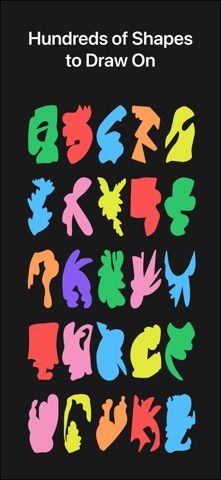
A closer look

App screenshots

Dudel Draw official iOS screenshot 1Dudel Draw official iOS screenshot 2Official iOS store screenshotOfficial iOS store screenshot

Choose with confidence

The useful details.

What it does

  • Receive a daily shape prompt for a drawing
  • Flip, rotate, and zoom the shape before adding a doodle
  • Download finished drawings and share them with friends
  • Use a short prompt as a low-pressure creative exercise

A good fit for

  • People who want a simple daily prompt to get drawing or doodling again

Worth knowing

  • The listing describes a prompt-based doodle app, not a full illustration or editing suite.
  • The listing does not state paid options, feature limits, or export resolution.
  • We have not tested artwork export or sharing behavior.

Frequently asked questions

Answers based on the app’s official listing and reviewed information.

What is Dudel Draw used for?

Turn a daily shape into an original doodle by rotating, zooming, and drawing, then save and share your interpretation.

What can you do with Dudel Draw?

Receive a daily shape prompt for a drawing Flip, rotate, and zoom the shape before adding a doodle Download finished drawings and share them with friends Use a short prompt as a low-pressure creative exercise

Who is Dudel Draw designed for?

People who want a simple daily prompt to get drawing or doodling again

What should you know before downloading Dudel Draw?

The listing describes a prompt-based doodle app, not a full illustration or editing suite. The listing does not state paid options, feature limits, or export resolution. We have not tested artwork export or sharing behavior.

Does Dudel Draw include paid features?

The reviewed listing does not confirm current in-app purchase options.

Which platforms support Dudel Draw?

Greatooly's reviewed app information lists iOS.

Researched from official sources; this is not a hands-on review. Last checked 2026-11-03.

Keep exploring

More apps that might be a good fit.

Dreamy Room: AI Room Design

Dreamy Room uses a photo of a real room to generate AI interior concepts in styles, colors, and furnishing directions you can compare.

Roomture: AI Interior Design

Roomture redesigns interior, exterior and garden photos with AI, then lets users compare, refine and save design ideas.

Verde: AI Backyard Design Plan

Verde turns photos of gardens, balconies, and rooms into AI redesigns that account for existing structures and practical dimensions.