
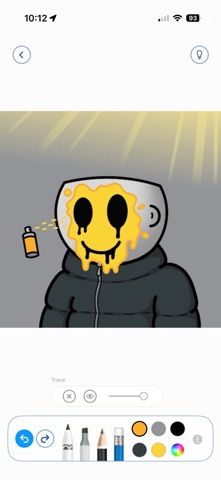
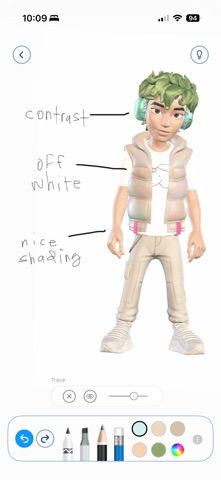
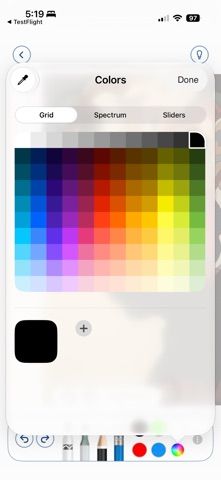
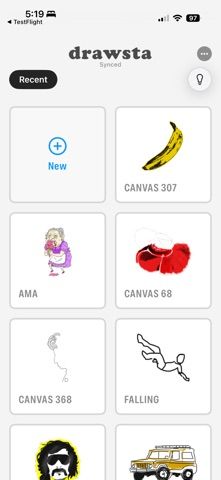
drawsta is a drawing app centered on tracing and visual references. Choose a picture and the app places it beneath your strokes as a translucent ghost layer; hide the reference as your drawing takes shape. Its feed includes artwork and image sources such as album covers, and a shared reference link can open a picture ready to trace in the app. Each drawing can replay stroke by stroke as a time-lapse, which can be shared with others. drawsta works on iPhone and iPad with a finger or Apple Pencil, syncs through the user’s iCloud, and does not require a separate account. The app is free with no subscription listed. It is specialized for reference-based drawing rather than offering a broad professional brush and layout suite, and users should share only images they have permission to use.

drawsta
A drawing app with ghost-layer tracing, shareable references, stroke-by-stroke replays, and optional iCloud sync.
Overview
A closer look at drawsta.
A closer look
App screenshots
Choose with confidence
The useful details.
What it does
- Place a selected image under a drawing as a translucent tracing layer.
- Hide the reference while refining lines and shapes.
- Replay a drawing stroke by stroke and share the time-lapse.
- Use on iPhone or iPad with Apple Pencil or a finger, with iCloud sync.
A good fit for
- Illustrators and learners who want a quick reference layer for sketching and tracing.
Worth knowing
- The feature set focuses on tracing and references rather than a full professional painting suite; only share images you have rights to use.
Frequently asked questions
Answers based on the app’s official listing and reviewed information.
What is drawsta used for?
A drawing app with ghost-layer tracing, shareable references, stroke-by-stroke replays, and optional iCloud sync.
What can you do with drawsta?
Place a selected image under a drawing as a translucent tracing layer. Hide the reference while refining lines and shapes. Replay a drawing stroke by stroke and share the time-lapse. Use on iPhone or iPad with Apple Pencil or a finger, with iCloud sync.
Who is drawsta designed for?
Illustrators and learners who want a quick reference layer for sketching and tracing.
What should you know before downloading drawsta?
The feature set focuses on tracing and references rather than a full professional painting suite; only share images you have rights to use.
Does drawsta include paid features?
The reviewed listing reports no in-app purchases.
Which platforms support drawsta?
Greatooly's reviewed app information lists iOS.
Researched from official sources; this is not a hands-on review. Last checked 2026-11-04.
Keep exploring
More apps that might be a good fit.

Dreamy Room: AI Room Design
Dreamy Room uses a photo of a real room to generate AI interior concepts in styles, colors, and furnishing directions you can compare.

Roomture: AI Interior Design
Roomture redesigns interior, exterior and garden photos with AI, then lets users compare, refine and save design ideas.

Verde: AI Backyard Design Plan
Verde turns photos of gardens, balconies, and rooms into AI redesigns that account for existing structures and practical dimensions.