
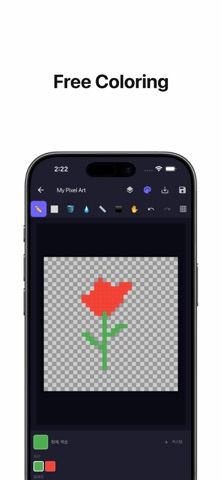
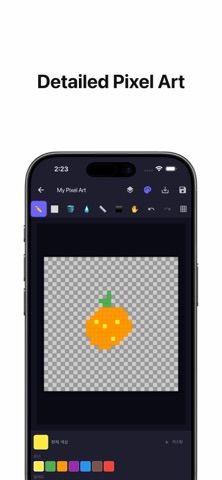
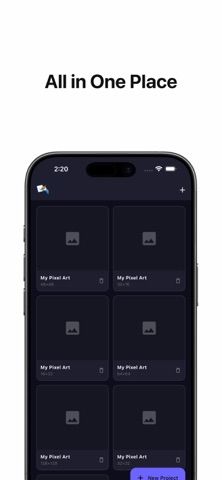
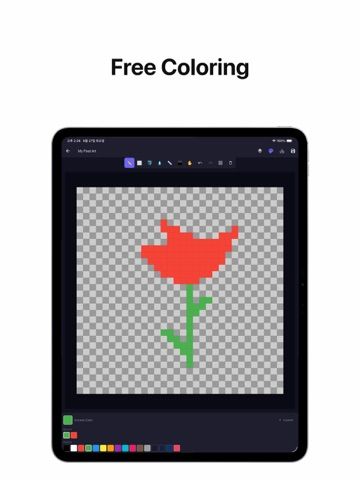
Draw Pixel is a focused canvas for making pixel art on an iPhone or iPad. Start with a preset canvas between 16×16 and 128×128 pixels or enter custom dimensions. Pencil, eraser, flood fill, eyedropper, line, and rectangle tools cover basic pixel editing, while pinch zoom and a move mode help with detailed work. Multiple layers can be renamed, reordered, hidden, or deleted. Users can create custom color palettes, undo or redo edits, and upscale finished artwork before saving it to the photo library or sharing it. The US App Store lists a free download, but the description does not clarify whether optional purchases or export restrictions apply. It is meant for small pixel illustrations, not a general vector or photo-editing workflow.

Draw Pixel: Pixel Art Canvas
A pixel-art drawing app with customizable canvases, layers, color palettes, zoom, and image export.
By JAEMIN LEEReleased 2026/07/02No ratings yetOfficial store informationPublished 2026/11/04Checked 2026-11-04
Overview
A closer look at Draw Pixel: Pixel Art Canvas.
A closer look
App screenshots
Choose with confidence
The useful details.
What it does
- Create preset or custom pixel canvases
- Draw with pencil, eraser, fill, eyedropper, line, and rectangle tools
- Organize artwork with multiple editable layers and custom palettes
- Upscale, save, and share finished drawings
A good fit for
- Beginners making small pixel-art illustrations on a phone
- Pixel artists who want a simple layered canvas and custom palette tools
Worth knowing
- The listing does not specify optional purchase terms, animation support, or advanced export formats.
Frequently asked questions
Answers based on the app’s official listing and reviewed information.
What is Draw Pixel: Pixel Art Canvas used for?
A pixel-art drawing app with customizable canvases, layers, color palettes, zoom, and image export.
What can you do with Draw Pixel: Pixel Art Canvas?
Create preset or custom pixel canvases Draw with pencil, eraser, fill, eyedropper, line, and rectangle tools Organize artwork with multiple editable layers and custom palettes Upscale, save, and share finished drawings
Who is Draw Pixel: Pixel Art Canvas designed for?
Beginners making small pixel-art illustrations on a phone Pixel artists who want a simple layered canvas and custom palette tools
What should you know before downloading Draw Pixel: Pixel Art Canvas?
The listing does not specify optional purchase terms, animation support, or advanced export formats.
Does Draw Pixel: Pixel Art Canvas include paid features?
The US App Store lists a free download.
Which platforms support Draw Pixel: Pixel Art Canvas?
Greatooly's reviewed app information lists iOS.
Researched from official sources; this is not a hands-on review. Last checked 2026-11-04.
Keep exploring
More apps that might be a good fit.

Dreamy Room: AI Room Design
Dreamy Room uses a photo of a real room to generate AI interior concepts in styles, colors, and furnishing directions you can compare.

Roomture: AI Interior Design
Roomture redesigns interior, exterior and garden photos with AI, then lets users compare, refine and save design ideas.

Verde: AI Backyard Design Plan
Verde turns photos of gardens, balconies, and rooms into AI redesigns that account for existing structures and practical dimensions.