
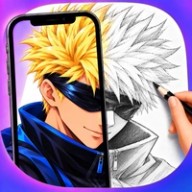
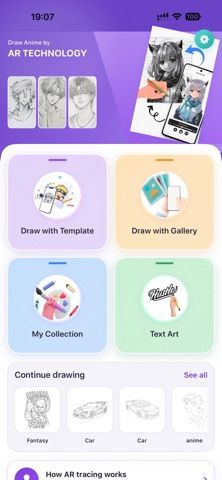
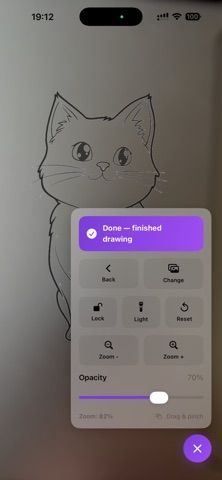
Draw AR turns an iPhone camera into a drawing reference. Choose a photo from the library or a template, place the phone above paper, and follow the projected outline while drawing. Adjusting the reference makes shapes, proportions, and details easier to follow, which can help beginners practice line control and observation. The app is free to download, requires iOS 17.6 or later, and its current listing has a modest number of ratings. It is a guide for drawing on physical paper rather than a full digital painting canvas: users still need a separate surface and drawing tools. Because it uses the camera and may access selected photos, review the requested permissions and choose references appropriate for the intended setting. Recent updates added anime and fantasy templates, clearer outlines, and an improved iPad layout.
Draw AR - Trace & Sketch
An augmented-reality drawing guide that overlays a photo or reference through the camera for tracing on paper.
Overview
A closer look at Draw AR - Trace & Sketch.
A closer look
App screenshots
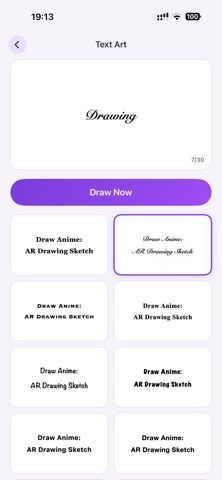
Choose with confidence
The useful details.
What it does
- Project a camera reference over a physical drawing surface.
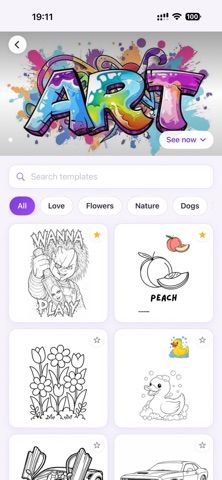
- Use a photo from the library or choose a drawing template.
- Adjust the reference to make outlines and proportions easier to trace.
- Practice sketching on paper with recent anime and fantasy templates.
A good fit for
- Beginners and hobby artists who want a visual guide while drawing on paper.
Worth knowing
- Draw AR guides drawing on physical paper; it is not a digital painting canvas. Requires iOS 17.6 or later and camera positioning that can hold the reference steady.
Frequently asked questions
Answers based on the app’s official listing and reviewed information.
What is Draw AR - Trace & Sketch used for?
An augmented-reality drawing guide that overlays a photo or reference through the camera for tracing on paper.
What can you do with Draw AR - Trace & Sketch?
Project a camera reference over a physical drawing surface. Use a photo from the library or choose a drawing template. Adjust the reference to make outlines and proportions easier to trace. Practice sketching on paper with recent anime and fantasy templates.
Who is Draw AR - Trace & Sketch designed for?
Beginners and hobby artists who want a visual guide while drawing on paper.
What should you know before downloading Draw AR - Trace & Sketch?
Draw AR guides drawing on physical paper; it is not a digital painting canvas. Requires iOS 17.6 or later and camera positioning that can hold the reference steady.
Does Draw AR - Trace & Sketch include paid features?
The reviewed listing reports no in-app purchases.
Which platforms support Draw AR - Trace & Sketch?
Greatooly's reviewed app information lists iOS.
Researched from official sources; this is not a hands-on review. Last checked 2026-11-04.
Keep exploring
More apps that might be a good fit.

Dreamy Room: AI Room Design
Dreamy Room uses a photo of a real room to generate AI interior concepts in styles, colors, and furnishing directions you can compare.

Roomture: AI Interior Design
Roomture redesigns interior, exterior and garden photos with AI, then lets users compare, refine and save design ideas.

Verde: AI Backyard Design Plan
Verde turns photos of gardens, balconies, and rooms into AI redesigns that account for existing structures and practical dimensions.