GreatoolyGreatooly
DocHub: Simple PDF Form Editor app icon

DocHub: Simple PDF Form Editor

Edit, sign, fill, and share PDFs, with free monthly limits and paid options for expanded document workflows.

By DocHubApp Store rating 4.8 (466)Official store informationPublished 2026/11/03Checked 2026-11-03

Overview

A closer look at DocHub: Simple PDF Form Editor.

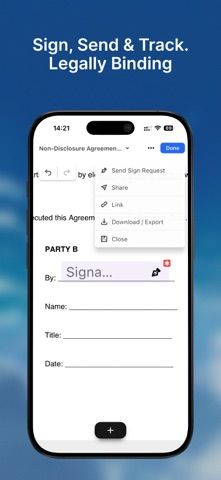
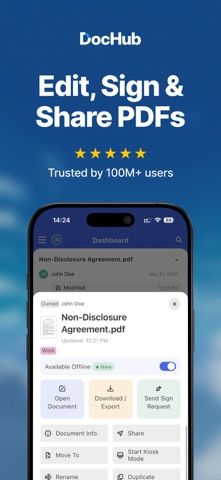
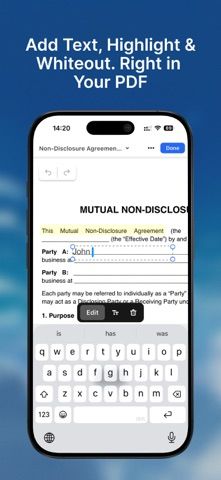
DocHub: Simple PDF Form Editor is a mobile document app for editing, signing, filling out, and sharing PDFs. The listing says the free plan includes three edits, signatures, or shares each month across the account, plus basic tools such as adding text, rotating pages, and changing page order.

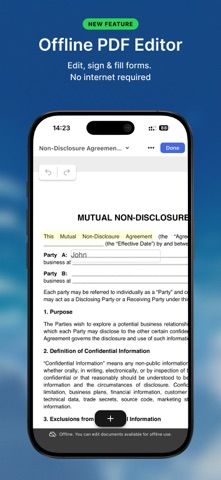
DocHub Pro is described as adding unlimited edits and signature requests, offline editing, and unlimited access to the AI Assistant. The assistant can summarize documents, simplify technical or legal wording, and answer questions about a file. Push and email notifications, activity logs, and folder organization are also listed for managing documents.

AI summaries can miss legal or financial details; verify every clause against the original before acting. Signed documents and identity information are sensitive, so review account security and sharing permissions. The listing states that AI access becomes available after 30 days, with unlimited use on Pro; current prices and exact limits should be confirmed. We have not tested offline editing, encryption, or signature workflows.
A closer look

App screenshots

DocHub: Simple PDF Form Editor official iOS screenshot 1DocHub: Simple PDF Form Editor official iOS screenshot 2Official iOS store screenshotOfficial iOS store screenshot

Choose with confidence

The useful details.

What it does

  • Add text, rotate pages, and reorder PDFs
  • Edit, sign, fill out, or share documents within listed monthly limits
  • Use an AI Assistant for document summaries and explanations
  • Track document activity and organize files in folders

A good fit for

  • People who need occasional PDF edits and signature requests on a mobile device

Worth knowing

  • The free plan is limited to three edits, signatures, or shares per month; Pro expands limits.
  • AI summaries can omit important legal or financial details; verify against the original.
  • Review privacy and sharing settings before uploading sensitive documents; current Pro prices were not stated.

Frequently asked questions

Answers based on the app’s official listing and reviewed information.

What is DocHub: Simple PDF Form Editor used for?

Edit, sign, fill, and share PDFs, with free monthly limits and paid options for expanded document workflows.

What can you do with DocHub: Simple PDF Form Editor?

Add text, rotate pages, and reorder PDFs Edit, sign, fill out, or share documents within listed monthly limits Use an AI Assistant for document summaries and explanations Track document activity and organize files in folders

Who is DocHub: Simple PDF Form Editor designed for?

People who need occasional PDF edits and signature requests on a mobile device

What should you know before downloading DocHub: Simple PDF Form Editor?

The free plan is limited to three edits, signatures, or shares per month; Pro expands limits. AI summaries can omit important legal or financial details; verify against the original. Review privacy and sharing settings before uploading sensitive documents; current Pro prices were not stated.

Does DocHub: Simple PDF Form Editor include paid features?

DocHub Pro unlocks unlimited edits and signature requests, offline editing, and expanded AI access. Current subscription prices and billing periods were not stated.

Which platforms support DocHub: Simple PDF Form Editor?

Greatooly's reviewed app information lists iOS.

Researched from official sources; this is not a hands-on review. Last checked 2026-11-03.

Keep exploring

More apps that might be a good fit.

Dreamy Room: AI Room Design

Dreamy Room uses a photo of a real room to generate AI interior concepts in styles, colors, and furnishing directions you can compare.

Roomture: AI Interior Design

Roomture redesigns interior, exterior and garden photos with AI, then lets users compare, refine and save design ideas.

Verde: AI Backyard Design Plan

Verde turns photos of gardens, balconies, and rooms into AI redesigns that account for existing structures and practical dimensions.