
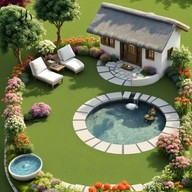
AI Garden Design: Decoration
AI Garden Design creates visual redesign concepts from a yard or garden photo, letting users explore landscaping styles and save or share ideas.

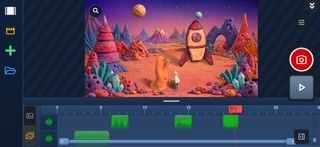
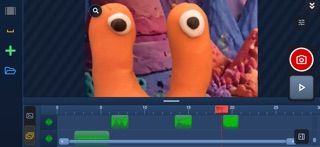
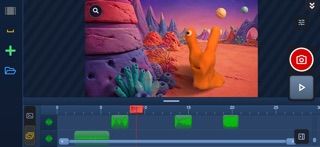
Zu3D combines stop-motion capture, drawing, video editing, green-screen effects, sound, and export tools for animated films.
Overview
A closer look
Choose with confidence
Answers based on the app’s official listing and reviewed information.
Zu3D combines stop-motion capture, drawing, video editing, green-screen effects, sound, and export tools for animated films.
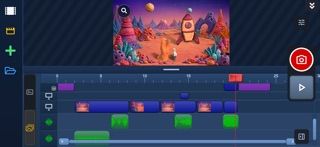
Capture stop-motion frames with playback, onion skinning, timed capture, and time-lapse options. Import images and video, use rotoscoping, and arrange clips on video and audio tracks. Draw on frames, animate drawings, remove support rigs, and add titles or transitions. Create green-screen scenes with chroma key, backgrounds, props, shadows, and keyframed effects.
Students, families, and beginner filmmakers making stop-motion or hand-drawn animation. Creators who want capture, basic editing, audio, and green-screen tools in one app.
Some features require the optional Zu3D Premium purchase; the listing does not state its price. Films submitted to the Stop Motion Gallery go through moderation.
Free to download. Zu3D is free to download. Some features require Zu3D Premium, offered as a one-time in-app purchase; the listing does not state its price and says there is no subscription.
Greatooly's reviewed app information lists iOS.
Researched from official sources; this is not a hands-on review. Last checked 2026-11-10.
More apps that might be a good fit.
AI Garden Design creates visual redesign concepts from a yard or garden photo, letting users explore landscaping styles and save or share ideas.
Dreamy Room uses a photo of a real room to generate AI interior concepts in styles, colors, and furnishing directions you can compare.
Roomture redesigns interior, exterior and garden photos with AI, then lets users compare, refine and save design ideas.
Zu3D is a stop-motion and animation studio for making films with models, toys, drawings, and live-action footage. Users capture frames while animating, use onion skinning to plan movement, or set automatic capture intervals for time-lapse. Imported images and video can be traced with rotoscoping, while clips can be arranged across video and audio tracks. The app also includes drawing and painting tools, rig removal, titles, transitions, chroma key effects, backgrounds, props, and sound effects. Creators can record audio, add dialogue or music, and export finished work as MP4 or WebM. A moderated Stop Motion Gallery is available for film submissions. Zu3D is free to download, but its listing says some features require Zu3D Premium, sold as a one-time in-app purchase without a subscription. The listing does not specify the Premium price.

