
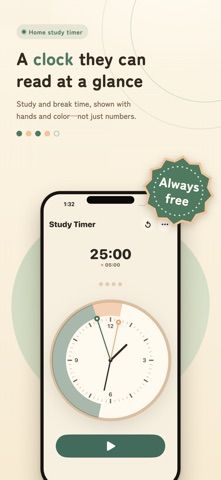
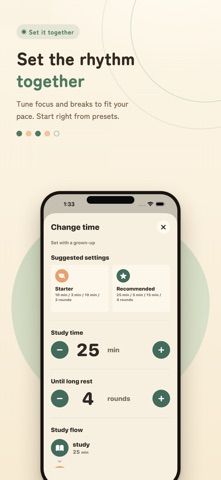
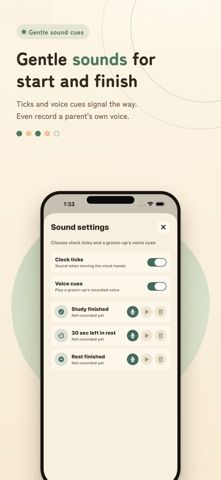
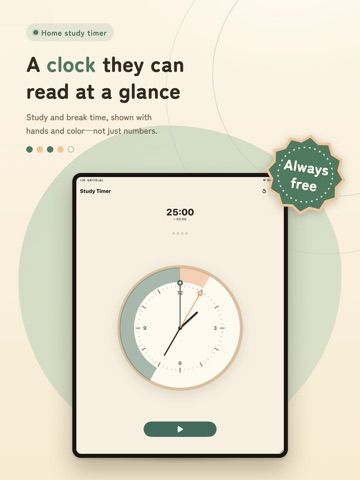
Study Clock Timer shows a focus session as colored areas on an analog clock rather than only as a numeric countdown. Move the clock hand to choose how long to study, then see the study and break periods laid out visually. The app includes starter settings for people new to study timers and presets modeled on a Pomodoro-style sequence, including a longer break after repeated sessions. A history view summarizes study time for today, the last seven days, and the current month. The developer says records stay locally on the device. The US App Store lists a free download, but the description does not specify optional purchases, notifications, or cross-device sync. It is a timer and basic log, not a full course schedule or assignment planner.
Study Clock Timer
A visual study timer that uses an analog clock face to show focus and break periods, with local progress history.
By tatsuya kawasakiReleased 2026/06/24No ratings yetOfficial store informationPublished 2026/11/04Checked 2026-11-04
Overview
A closer look at Study Clock Timer.
A closer look
App screenshots
Choose with confidence
The useful details.
What it does
- Set focus duration by moving the hand on an analog clock
- See study and break intervals as colored clock segments
- Choose starter settings or a Pomodoro-style sequence
- Review today's, seven-day, and monthly totals stored locally
A good fit for
- Students who prefer a visual timer over a numeric countdown
- People beginning a study routine with short focus and break periods
Worth knowing
- The listing does not describe class schedules, assignment tracking, sync, or optional purchase terms.
Frequently asked questions
Answers based on the app’s official listing and reviewed information.
What is Study Clock Timer used for?
A visual study timer that uses an analog clock face to show focus and break periods, with local progress history.
What can you do with Study Clock Timer?
Set focus duration by moving the hand on an analog clock See study and break intervals as colored clock segments Choose starter settings or a Pomodoro-style sequence Review today's, seven-day, and monthly totals stored locally
Who is Study Clock Timer designed for?
Students who prefer a visual timer over a numeric countdown People beginning a study routine with short focus and break periods
What should you know before downloading Study Clock Timer?
The listing does not describe class schedules, assignment tracking, sync, or optional purchase terms.
Does Study Clock Timer include paid features?
The US App Store lists a free download.
Which platforms support Study Clock Timer?
Greatooly's reviewed app information lists iOS.
Researched from official sources; this is not a hands-on review. Last checked 2026-11-04.
Keep exploring
More apps that might be a good fit.

Plant Care Apps
Plant Care Apps identifies plants from photos, offers basic diagnosis and care guidance, and tracks watering reminders and a plant collection.

Garden Planner: Landscape AI
Garden Planner: Landscape AI redesigns a yard or patio photo in 24 styles, with before-and-after comparison and private local designs.

Homefolio: Home Inventory
Homefolio records household belongings, values, receipts, serial numbers, and warranties, then exports a claim-ready inventory report.