
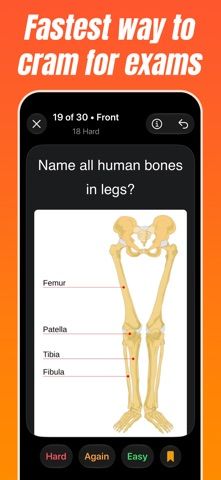
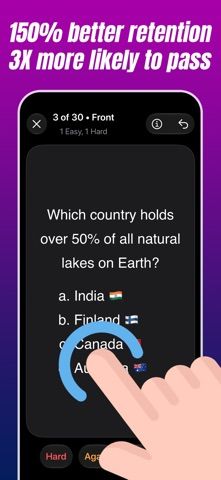
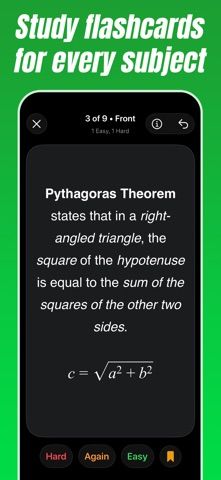
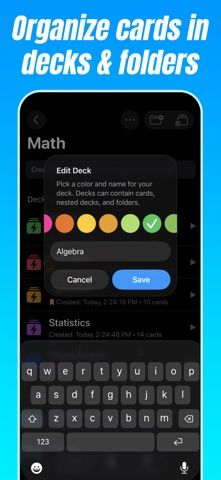
Crammer helps students create flashcards and review them with active recall and spaced repetition. Cards can be typed individually or imported in a structured text format, then organized into decks, folders, and nested subjects. Markdown and LaTeX support formatting and math; cards can also include diagrams or photos. During review, learners rate whether each card was easy, difficult, or forgotten, and the app schedules tougher cards more often. Crammer summarizes session length and difficult cards after a deck is complete. The listing says it works across iPhone, iPad, and Mac, with iCloud syncing between devices. A trial lets users try the full feature set; a one-time purchase unlocks unlimited practice and future updates, with no subscription or intrusive ads according to the developer. The US listing has only one rating, and the purchase price and trial duration are not stated in its description. Keep a separate backup of important study materials.

Flashcard Maker Study Crammer
A flashcard study app with active recall, spaced repetition, nested decks, rich formatting, and device sync.
Overview
A closer look at Flashcard Maker Study Crammer.
A closer look
App screenshots
Choose with confidence
The useful details.
What it does
- Create or bulk-import flashcards and organize them into nested decks and folders.
- Review with spaced repetition and mark cards as easy, hard, or forgotten.
- Format cards with Markdown, LaTeX, images, and diagrams.
- Sync study materials through iCloud across iPhone, iPad, and Mac.
A good fit for
- Students who want a customizable flashcard system with math formatting and spaced review.
Worth knowing
- The listing has only one rating. The trial duration and one-time purchase price are not stated in the verified description; check the current App Store offer. iCloud sync depends on the user’s Apple account and available storage.
Frequently asked questions
Answers based on the app’s official listing and reviewed information.
What is Flashcard Maker Study Crammer used for?
A flashcard study app with active recall, spaced repetition, nested decks, rich formatting, and device sync.
What can you do with Flashcard Maker Study Crammer?
Create or bulk-import flashcards and organize them into nested decks and folders. Review with spaced repetition and mark cards as easy, hard, or forgotten. Format cards with Markdown, LaTeX, images, and diagrams. Sync study materials through iCloud across iPhone, iPad, and Mac.
Who is Flashcard Maker Study Crammer designed for?
Students who want a customizable flashcard system with math formatting and spaced review.
What should you know before downloading Flashcard Maker Study Crammer?
The listing has only one rating. The trial duration and one-time purchase price are not stated in the verified description; check the current App Store offer. iCloud sync depends on the user’s Apple account and available storage.
Does Flashcard Maker Study Crammer include paid features?
A trial version lets users try the app’s features; the trial duration is not specified in the verified listing text. A one-time purchase unlocks unlimited practice and lifetime updates. Confirm the current US price in the App Store.
Which platforms support Flashcard Maker Study Crammer?
Greatooly's reviewed app information lists iOS.
Researched from official sources; this is not a hands-on review. Last checked 2026-11-04.
Keep exploring
More apps that might be a good fit.

Plant Care Apps
Plant Care Apps identifies plants from photos, offers basic diagnosis and care guidance, and tracks watering reminders and a plant collection.

Garden Planner: Landscape AI
Garden Planner: Landscape AI redesigns a yard or patio photo in 24 styles, with before-and-after comparison and private local designs.

Homefolio: Home Inventory
Homefolio records household belongings, values, receipts, serial numbers, and warranties, then exports a claim-ready inventory report.