
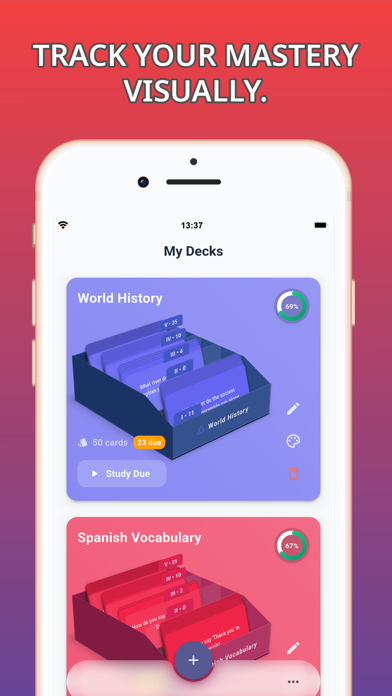
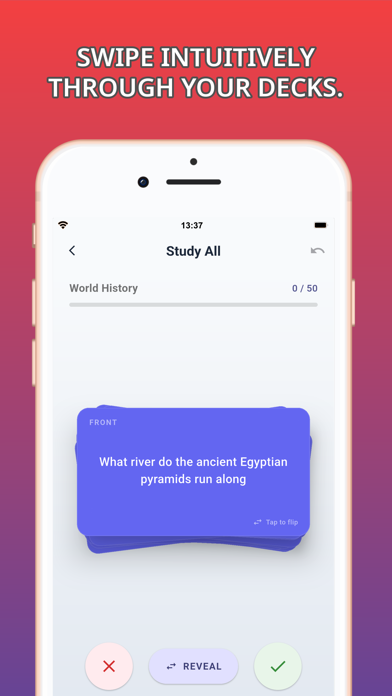
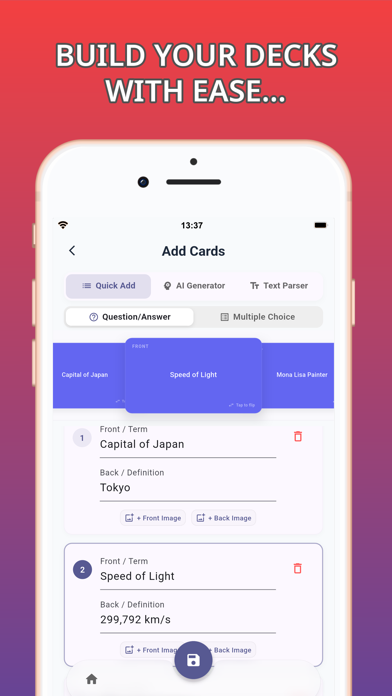
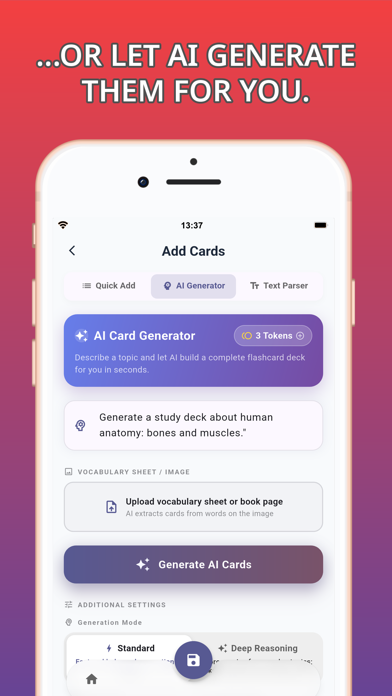
Flash Cards • Study & Learn gives learners a virtual version of a card box organized around the Leitner spaced-repetition method. Create cards manually with custom text, colors, and images, or use optional AI tools to generate a deck from a photo or topic prompt. Cards move between review compartments according to how well the learner remembers them, and progress charts show accuracy and study activity. The listing describes deck sharing with study partners, syncing through Google Drive, iCloud, OneDrive, or Dropbox, CSV or Excel export, and offline use. The app is free to download, but its description does not clarify whether AI generation or any other capabilities require an in-app purchase, account, or separate usage allowance. Check the current in-app terms before relying on an unlimited AI workflow.
Flash Cards • Study & Learn
A 3D flashcard app with Leitner spaced repetition, AI deck generation, progress charts, and shared study decks.
Overview
A closer look at Flash Cards • Study & Learn.
A closer look
App screenshots
Choose with confidence
The useful details.
What it does
- Create flashcards manually or generate decks with optional AI tools
- Review with a Leitner spaced-repetition box
- Share decks and keep study partners' copies synchronized
- Use offline and sync or export decks through listed services and formats
A good fit for
- Students and self-directed learners reviewing vocabulary, exam material, or technical terms
- Study partners who want to share and update a common deck
Worth knowing
- The listing does not explain the pricing or usage limits for optional AI generation and account-based sync.
Frequently asked questions
Answers based on the app’s official listing and reviewed information.
What is Flash Cards • Study & Learn used for?
A 3D flashcard app with Leitner spaced repetition, AI deck generation, progress charts, and shared study decks.
What can you do with Flash Cards • Study & Learn?
Create flashcards manually or generate decks with optional AI tools Review with a Leitner spaced-repetition box Share decks and keep study partners' copies synchronized Use offline and sync or export decks through listed services and formats
Who is Flash Cards • Study & Learn designed for?
Students and self-directed learners reviewing vocabulary, exam material, or technical terms Study partners who want to share and update a common deck
What should you know before downloading Flash Cards • Study & Learn?
The listing does not explain the pricing or usage limits for optional AI generation and account-based sync.
Does Flash Cards • Study & Learn include paid features?
The US App Store lists a free download.
Which platforms support Flash Cards • Study & Learn?
Greatooly's reviewed app information lists iOS.
Researched from official sources; this is not a hands-on review. Last checked 2026-11-04.
Keep exploring
More apps that might be a good fit.

Plant Care Apps
Plant Care Apps identifies plants from photos, offers basic diagnosis and care guidance, and tracks watering reminders and a plant collection.

Garden Planner: Landscape AI
Garden Planner: Landscape AI redesigns a yard or patio photo in 24 styles, with before-and-after comparison and private local designs.

Homefolio: Home Inventory
Homefolio records household belongings, values, receipts, serial numbers, and warranties, then exports a claim-ready inventory report.