GreatoolyGreatooly
Owll: AI Note Taker&Assistant app icon

Owll: AI Note Taker&Assistant

Record meetings, lectures, calls, and voice notes, then create searchable AI transcripts and summaries.

By VOCALBEATS.AI PTE. LTD.App Store rating 4.8 (3,101)Official store informationPublished 2026/11/03Checked 2026-11-03

Overview

A closer look at Owll: AI Note Taker&Assistant.

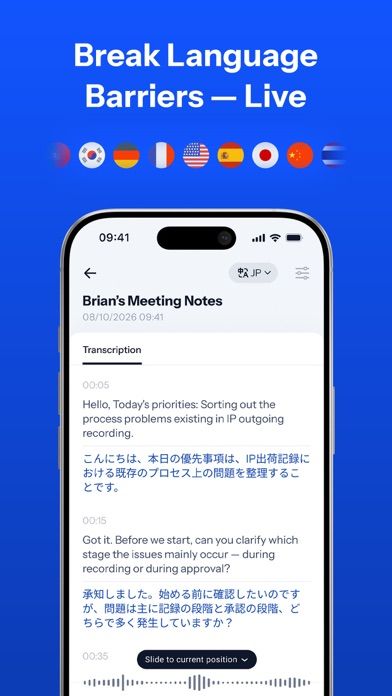
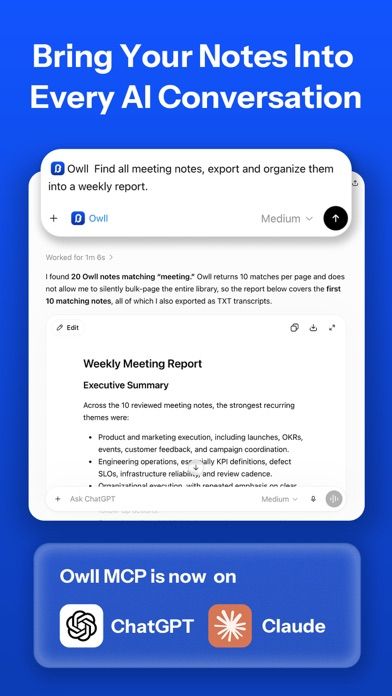
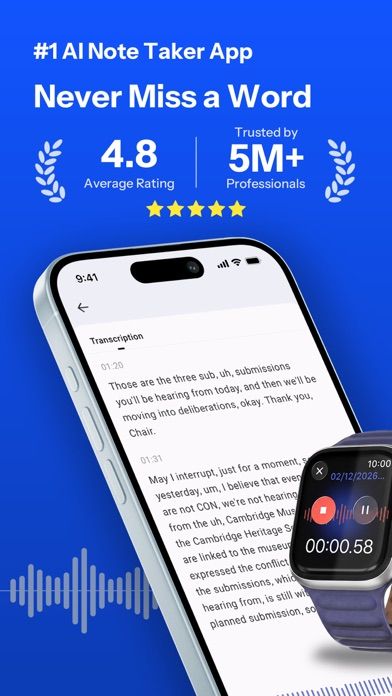
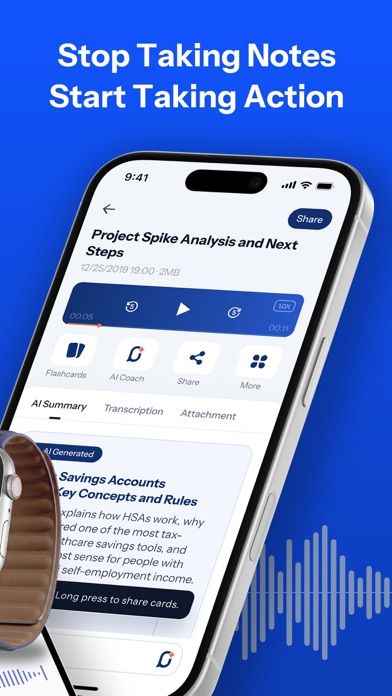
Owll: AI Note Taker & Assistant records audio and turns it into transcripts and summaries. The listing describes recording on iPhone, iPad, Apple Watch, or the web, uploading audio files, and capturing online calls from services such as Zoom, Google Meet, and Microsoft Teams. Generated notes can include timestamps, summaries, and action items.

The app also organizes recordings into a searchable knowledge base and syncs notes across Apple devices and the web. Owll Plus is offered as weekly, monthly, and yearly subscriptions. Current prices and recording limits were not stated in the listing text reviewed.

Recording calls or meetings can require permission from participants and may be subject to local laws or workplace policy. Transcripts and AI summaries can mishear names, numbers, or commitments, so check them against the original audio before sharing or acting on them. Avoid uploading confidential conversations without reviewing data terms. We have not tested accuracy, retention, or integrations.
A closer look

App screenshots

Owll: AI Note Taker&Assistant official iOS screenshot 1Owll: AI Note Taker&Assistant official iOS screenshot 2Official iOS store screenshotOfficial iOS store screenshot

Choose with confidence

The useful details.

What it does

  • Record audio or upload files for transcription
  • Generate timestamped transcripts, meeting summaries, and action items
  • Capture listed online meetings and sync notes across supported devices
  • Search and organize recordings in a knowledge base

A good fit for

  • Students and professionals who need searchable notes from recorded meetings, lectures, or interviews

Worth knowing

  • Obtain required consent before recording calls or meetings.
  • AI transcripts and summaries can be inaccurate and need review.
  • The listing offers weekly, monthly, and yearly subscriptions; current prices and data-retention terms should be checked.

Frequently asked questions

Answers based on the app’s official listing and reviewed information.

What is Owll: AI Note Taker&Assistant used for?

Record meetings, lectures, calls, and voice notes, then create searchable AI transcripts and summaries.

What can you do with Owll: AI Note Taker&Assistant?

Record audio or upload files for transcription Generate timestamped transcripts, meeting summaries, and action items Capture listed online meetings and sync notes across supported devices Search and organize recordings in a knowledge base

Who is Owll: AI Note Taker&Assistant designed for?

Students and professionals who need searchable notes from recorded meetings, lectures, or interviews

What should you know before downloading Owll: AI Note Taker&Assistant?

Obtain required consent before recording calls or meetings. AI transcripts and summaries can be inaccurate and need review. The listing offers weekly, monthly, and yearly subscriptions; current prices and data-retention terms should be checked.

Does Owll: AI Note Taker&Assistant include paid features?

Owll Plus is offered as auto-renewing weekly, monthly, and yearly subscriptions. Current prices and usage limits were not stated in the listing reviewed.

Which platforms support Owll: AI Note Taker&Assistant?

Greatooly's reviewed app information lists iOS.

Researched from official sources; this is not a hands-on review. Last checked 2026-11-03.

Keep exploring

More apps that might be a good fit.

CleanHaus: Airbnb Turnovers

CleanHaus automates short-term rental turnovers by connecting booking calendars with cleaners, schedules and property tasks.

GoalStar: Daily Goal Tracker

GoalStar makes daily goals visible with a gold-star chart, streaks, reminders, widgets and optional NFC tap tags.

Accessbox - Password Manager

Accessbox stores passwords, passkeys and verification codes in encrypted Accesscards with AutoFill, breach alerts and optional iCloud sync.