
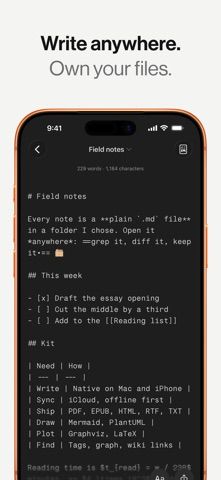
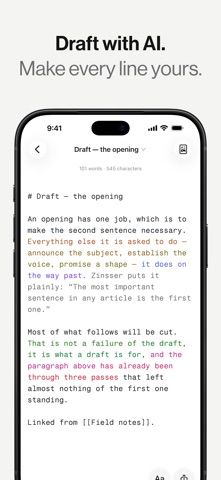
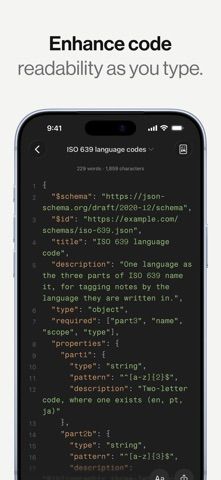
mrkdwn is a Markdown editor for people who want their notes to remain readable outside one app. It stores each note as a plain .md file in a folder you choose, so the same files can be opened in Finder, Git, or another editor. The listing also describes wiki-style links and backlinks, a searchable knowledge graph, daily notes, syntax highlighting, and offline rendering for math and diagrams. iCloud sync includes conflict handling and note history. The developer says the app requires no account and has no subscription; the listing does not describe collaboration or a web version.

ProductivityFile manager appsMeeting notes appsNote-taking appsPDF editor appsPersonal knowledge base appsVoice notes apps
mrkdwn — Markdown Notes Editor
A local-first Markdown notebook that keeps notes as ordinary files and adds backlinks, graph views, and version history.
By BuenaGames, LLCReleased 2026/10/06No ratings yetOfficial store informationPublished 2026/11/04Checked 2026-11-04
Overview
A closer look at mrkdwn — Markdown Notes Editor.
A closer look
App screenshots
Choose with confidence
The useful details.
What it does
- Save notes as Markdown files in a folder you choose
- Link notes with wiki-style links, backlinks, tags, and a knowledge graph
- Use daily notes, search, version history, and restore tools
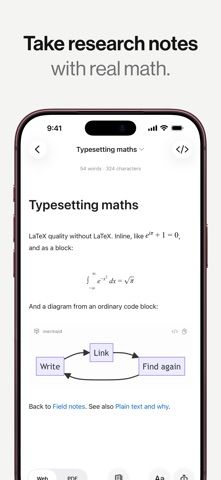
- Render code, math, and diagrams offline
A good fit for
- People who want portable notes in plain-text files
- Writers and researchers who connect notes through links and tags
Worth knowing
- The listing describes an Apple device app with iCloud sync, not a web collaboration workspace.
Frequently asked questions
Answers based on the app’s official listing and reviewed information.
What is mrkdwn — Markdown Notes Editor used for?
A local-first Markdown notebook that keeps notes as ordinary files and adds backlinks, graph views, and version history.
What can you do with mrkdwn — Markdown Notes Editor?
Save notes as Markdown files in a folder you choose Link notes with wiki-style links, backlinks, tags, and a knowledge graph Use daily notes, search, version history, and restore tools Render code, math, and diagrams offline
Who is mrkdwn — Markdown Notes Editor designed for?
People who want portable notes in plain-text files Writers and researchers who connect notes through links and tags
What should you know before downloading mrkdwn — Markdown Notes Editor?
The listing describes an Apple device app with iCloud sync, not a web collaboration workspace.
Does mrkdwn — Markdown Notes Editor include paid features?
The App Store lists a free download, and the developer says there is no subscription.
Which platforms support mrkdwn — Markdown Notes Editor?
Greatooly's reviewed app information lists iOS.
Researched from official sources; this is not a hands-on review. Last checked 2026-11-04.
Keep exploring
More apps that might be a good fit.

CleanHaus: Airbnb Turnovers
CleanHaus automates short-term rental turnovers by connecting booking calendars with cleaners, schedules and property tasks.

GoalStar: Daily Goal Tracker
GoalStar makes daily goals visible with a gold-star chart, streaks, reminders, widgets and optional NFC tap tags.

Accessbox - Password Manager
Accessbox stores passwords, passkeys and verification codes in encrypted Accesscards with AutoFill, breach alerts and optional iCloud sync.