
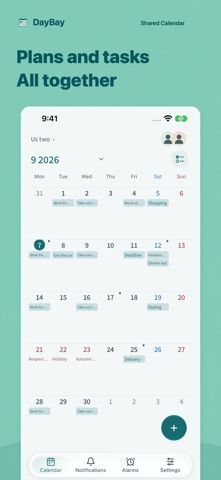
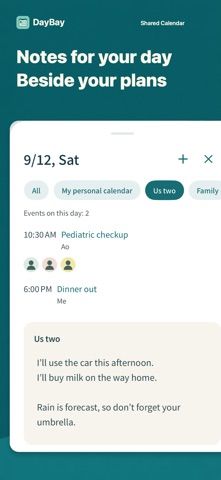
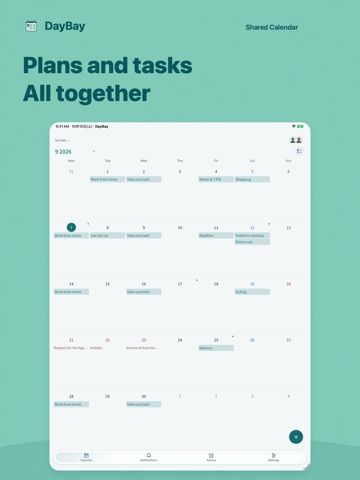
DayBay is a shared calendar for couples, families, and close groups. It keeps personal and shared calendars separate, while adding day-specific notes, repeating events, shared to-dos, completion history, and reminders. The listing also describes importing selected events from Google Calendar, Outlook, and device calendars, then exporting events as ICS and notes or to-dos as CSV. Imported external events are copied only when selected; DayBay does not continuously sync changes back to those calendars. Home Screen widgets and an update history help people keep track of group plans. The listing does not explain current pricing or whether any features require payment, so check the app before moving a shared schedule into it.

DayBay: Shared Calendar
A shared calendar for couples and families, with recurring events, day notes, to-dos, reminders, and import tools.
By Ryo IjuinReleased 2026/10/02App Store rating 5.0 (1)Official store informationPublished 2026/11/04Checked 2026-11-04
Overview
A closer look at DayBay: Shared Calendar.
A closer look
App screenshots
Choose with confidence
The useful details.
What it does
- Separates personal and shared calendars and supports repeating events.
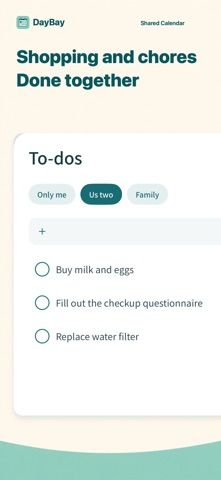
- Adds day notes, shared to-dos, reminders, and a history of shared updates.
- Imports selected events and exports events, notes, and to-dos in common file formats.
A good fit for
- Couples or households coordinating appointments and recurring tasks.
- People who want to export calendar events and shared notes.
Worth knowing
- External calendar items are copied when selected rather than continuously synced; pricing and feature limits are not stated in the listing.
Frequently asked questions
Answers based on the app’s official listing and reviewed information.
What is DayBay: Shared Calendar used for?
A shared calendar for couples and families, with recurring events, day notes, to-dos, reminders, and import tools.
What can you do with DayBay: Shared Calendar?
Separates personal and shared calendars and supports repeating events. Adds day notes, shared to-dos, reminders, and a history of shared updates. Imports selected events and exports events, notes, and to-dos in common file formats.
Who is DayBay: Shared Calendar designed for?
Couples or households coordinating appointments and recurring tasks. People who want to export calendar events and shared notes.
What should you know before downloading DayBay: Shared Calendar?
External calendar items are copied when selected rather than continuously synced; pricing and feature limits are not stated in the listing.
Does DayBay: Shared Calendar include paid features?
The reviewed listing does not confirm current in-app purchase options.
Which platforms support DayBay: Shared Calendar?
Greatooly's reviewed app information lists iOS.
Researched from official sources; this is not a hands-on review. Last checked 2026-11-04.
Keep exploring
More apps that might be a good fit.

Starday: Family Chores Tracker
Starday turns children’s daily chores into quests with points, streaks, parent-approved rewards, family profiles, and shared progress.

TooTask·Checklist&Task Manager
TooTask organizes timed tasks, untimed backlog, routines, and repeatable checklists, then keeps the current task visible on Apple devices.

FaveNest – Visual Bookmarks
FaveNest saves links, notes, files, screenshots, and places into a searchable visual library that syncs through private iCloud.