
Room Planner: 3D Home Design helps users sketch a floor plan, arrange furniture, and explore a room in three dimensions. The listing describes AI tools for generating interior-style concepts, along with templates and room-design ideas that can be adapted to a project. Users can keep multiple room concepts organized and revisit earlier versions while comparing layouts and styles. The app is available on Apple's mobile platforms and Mac, while the store description emphasizes a spacious Mac workspace for detailed home planning. The US listing is free to download, but the captured description does not explain whether particular furniture catalogs, AI generations, or project exports have limits or paid upgrades. It is best treated as a visualization and planning aid; confirm measurements and product specifications separately before ordering furniture or beginning renovation work.

Room Planner: 3D Home Design
A 3D room and floor-plan design app for arranging furniture, exploring interior styles, and organizing multiple home-design projects.
Overview
A closer look at Room Planner: 3D Home Design.
A closer look
App screenshots
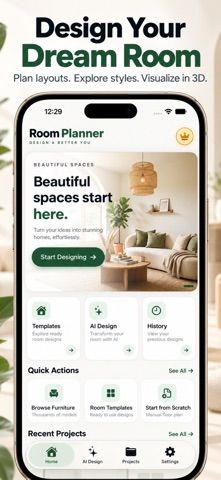
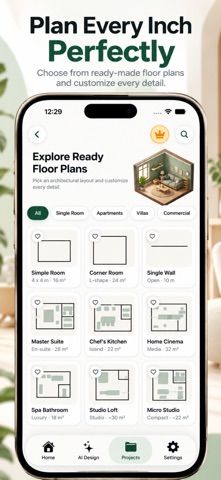
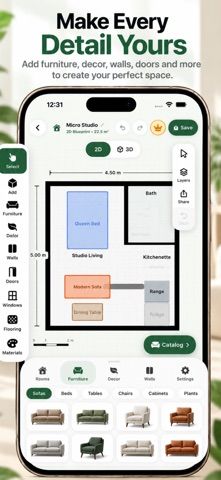
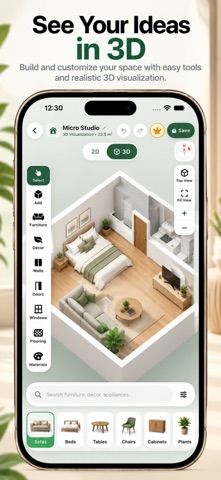
Choose with confidence
The useful details.
What it does
- Create floor plans and arrange furniture in a room layout.
- Explore room designs in 3D and generate interior-style concepts with AI tools.
- Start from templates or customize a design to explore different styles.
- Save multiple design projects and return to previous room concepts.
A good fit for
- People comparing room layouts and interior styles before furnishing or redesigning a home.
Worth knowing
- The listing emphasizes a Mac workspace; check the experience on the specific iPhone or iPad model before relying on it.
- The captured description does not state limits or pricing for AI tools, catalogs, or project exports.
- Use a separate measurement source to confirm dimensions and product fit before making purchases.
Frequently asked questions
Answers based on the app’s official listing and reviewed information.
What is Room Planner: 3D Home Design used for?
A 3D room and floor-plan design app for arranging furniture, exploring interior styles, and organizing multiple home-design projects.
What can you do with Room Planner: 3D Home Design?
Create floor plans and arrange furniture in a room layout. Explore room designs in 3D and generate interior-style concepts with AI tools. Start from templates or customize a design to explore different styles. Save multiple design projects and return to previous room concepts.
Who is Room Planner: 3D Home Design designed for?
People comparing room layouts and interior styles before furnishing or redesigning a home.
What should you know before downloading Room Planner: 3D Home Design?
The listing emphasizes a Mac workspace; check the experience on the specific iPhone or iPad model before relying on it. The captured description does not state limits or pricing for AI tools, catalogs, or project exports. Use a separate measurement source to confirm dimensions and product fit before making purchases.
Does Room Planner: 3D Home Design include paid features?
The US App Store listing is marked free to download. The captured description does not explain paid features or limits; confirm current terms in the store.
Which platforms support Room Planner: 3D Home Design?
Greatooly's reviewed app information lists iOS.
Researched from official sources; this is not a hands-on review. Last checked 2026-11-04.
Keep exploring
More apps that might be a good fit.

GoStash: Home Inventory
GoStash creates a searchable home inventory from photos, supports shared spaces and iCloud backup, tracks expirations, quantity and item value, with optional Pro upgrades.

Leaflet: Plant Care Tracker
Leaflet keeps houseplant care schedules, watering reminders, growth photos, room groups, care history and pet-safety notes in an offline plant journal.

Wishdea: Gift Wishlists
Wishdea helps people share gift wishlists with links, private passcodes, gift details, priorities and surprise-safe reservations to prevent duplicates.