GreatoolyGreatooly
Reminder & Countdown Pro app icon

Reminder & Countdown Pro

Create reminders and countdowns for dated events, organize them by category, and sync them through iCloud.

By Sergey AstakhovApp Store rating 4.8 (3,262)Official store informationPublished 2026/11/03Checked 2026-11-03

Overview

A closer look at Reminder & Countdown Pro.

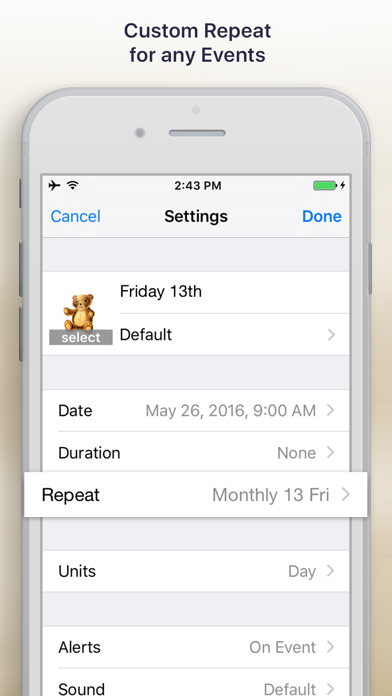
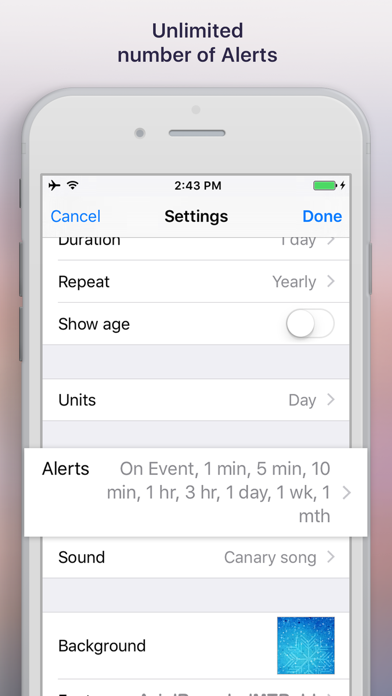
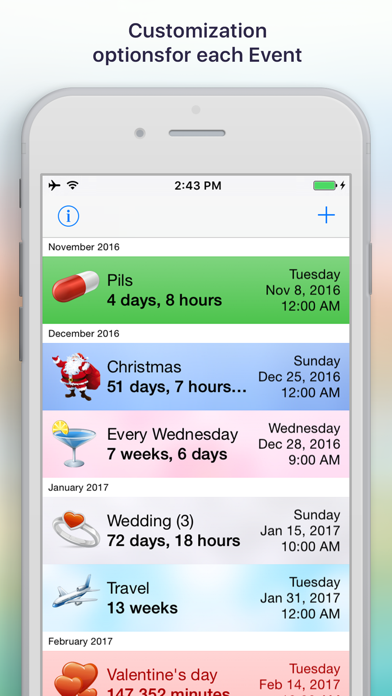
Reminder & Countdown Pro is a paid event and task organizer centered on dates, alerts, and countdowns. Users can create an event with a title, category, date, duration, repetition, and alert settings, then customize its icon, sound, color, and display. Events can be sorted by date, title, or category and shown as cards on the screen.

The listing describes importing events from Contacts, Calendar, and Reminders, syncing between Apple devices through iCloud, and using widgets and a badge count. Face ID or Touch ID locking is also listed. The US App Store currently shows a US$1.99 paid download; confirm the current price before purchase.

A countdown or notification is a personal reminder and may not be delivered if device settings suppress alerts. Check recurring dates carefully, especially for travel or deadlines. We have not tested import behavior, iCloud sync, or background notifications. The app is a personal organizer, not a shared team task system.
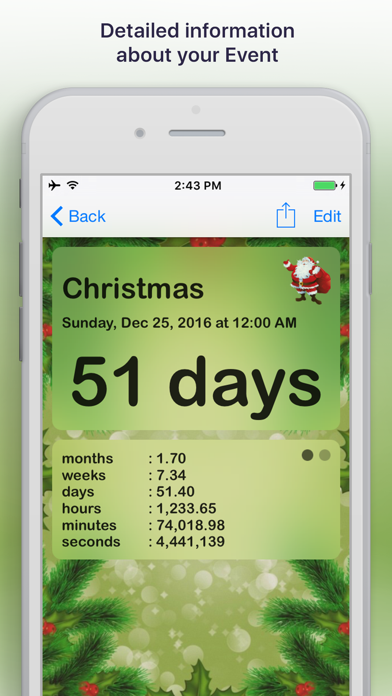
A closer look

App screenshots

Reminder & Countdown Pro official iOS screenshot 1Reminder & Countdown Pro official iOS screenshot 2Official iOS store screenshotOfficial iOS store screenshot

Choose with confidence

The useful details.

What it does

  • Create dated reminders, countdowns, and recurring events
  • Customize alerts, event cards, categories, and visual appearance
  • Import events from Contacts, Calendar, or Reminders
  • Sync through iCloud and use home-screen widgets

A good fit for

  • People who want customizable countdowns and reminders in a paid personal organizer

Worth knowing

  • Notifications depend on iOS permissions and may be suppressed by device settings.
  • The US App Store lists a US$1.99 download; confirm current price and device support.
  • We have not tested import, sync, or reminder delivery.

Frequently asked questions

Answers based on the app’s official listing and reviewed information.

What is Reminder & Countdown Pro used for?

Create reminders and countdowns for dated events, organize them by category, and sync them through iCloud.

What can you do with Reminder & Countdown Pro?

Create dated reminders, countdowns, and recurring events Customize alerts, event cards, categories, and visual appearance Import events from Contacts, Calendar, or Reminders Sync through iCloud and use home-screen widgets

Who is Reminder & Countdown Pro designed for?

People who want customizable countdowns and reminders in a paid personal organizer

What should you know before downloading Reminder & Countdown Pro?

Notifications depend on iOS permissions and may be suppressed by device settings. The US App Store lists a US$1.99 download; confirm current price and device support. We have not tested import, sync, or reminder delivery.

Does Reminder & Countdown Pro include paid features?

The US App Store currently lists the app as a US$1.99 paid download. Price may change; verify before purchase.

Which platforms support Reminder & Countdown Pro?

Greatooly's reviewed app information lists iOS.

Researched from official sources; this is not a hands-on review. Last checked 2026-11-03.

Keep exploring

More apps that might be a good fit.

GoStash: Home Inventory

GoStash creates a searchable home inventory from photos, supports shared spaces and iCloud backup, tracks expirations, quantity and item value, with optional Pro upgrades.

Leaflet: Plant Care Tracker

Leaflet keeps houseplant care schedules, watering reminders, growth photos, room groups, care history and pet-safety notes in an offline plant journal.

Wishdea: Gift Wishlists

Wishdea helps people share gift wishlists with links, private passcodes, gift details, priorities and surprise-safe reservations to prevent duplicates.