GreatoolyGreatooly
Pennyworth: Expense Tracker app icon

Pennyworth: Expense Tracker

Record spending, income, budgets, assets, credit cards, and investments in separate personal or shared finance books, with reports and export tools.

By Jack XuanApp Store rating 4.8 (1,297)Official store informationPublished 2026/11/03Checked 2026-11-03

Overview

A closer look at Pennyworth: Expense Tracker.

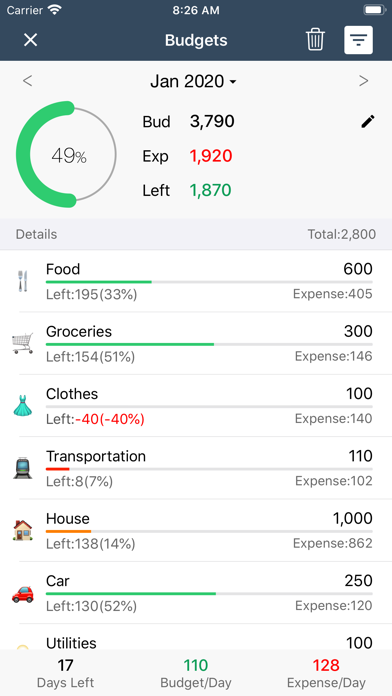
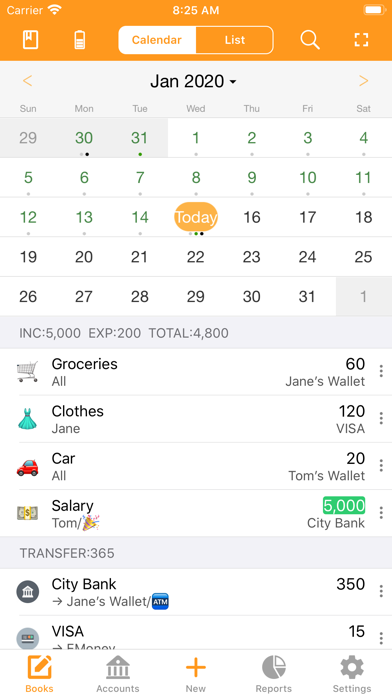
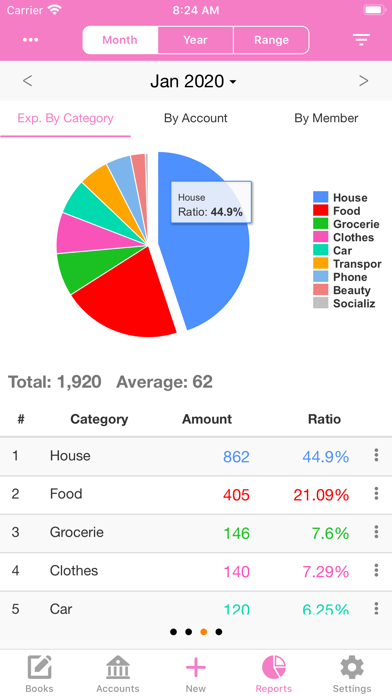
Pennyworth is a personal finance tracker for recording income, expenses, budgets, and assets. Its listing describes separate books for personal, family, or business records, plus tags and calendar views to help organize transactions. Reports show spending patterns and income or expense comparisons.

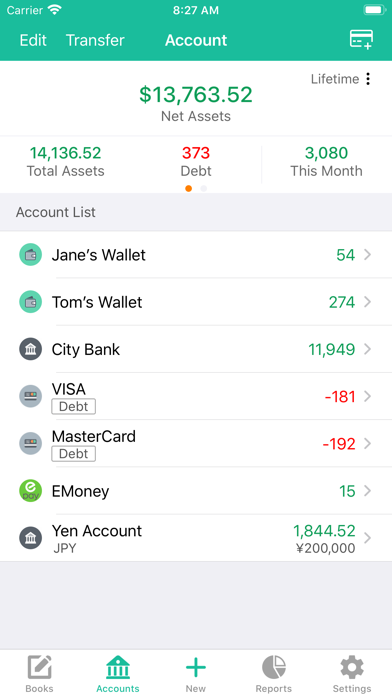
The app also lists credit-card due-date tools, recurring transactions, receipt attachments, CSV export, and tracking for cash, accounts, loans, investments, and multiple currencies. It describes iCloud sync across compatible Apple devices and sharing selected books with other people. The developer says records are saved on-device first and can be viewed or edited offline.

The US App Store lists a free download, but the listing does not clarify whether paid features are offered. It does not describe automatic bank-feed connections, so do not assume transactions import from a bank. Financial entries are sensitive; review backup and privacy settings, and compare records with statements before making financial decisions.
A closer look

App screenshots

Pennyworth: Expense Tracker official iOS screenshot 1Pennyworth: Expense Tracker official iOS screenshot 2Official iOS store screenshotOfficial iOS store screenshot

Choose with confidence

The useful details.

What it does

  • Log income, expenses, and recurring transactions
  • Create separate books, budgets, tags, and calendar views
  • Track assets, loans, credit cards, and investment holdings
  • Review reports, attach receipts, and export records to CSV

A good fit for

  • Individuals or households who want a flexible manual ledger for several kinds of financial records

Worth knowing

  • The listing does not describe automatic bank-feed connections; confirm how transactions are entered.
  • The listing does not explain current paid features or purchase terms.
  • Treat the app as a record-keeping aid, not tax, investment, or financial advice; verify important figures independently.

Frequently asked questions

Answers based on the app’s official listing and reviewed information.

What is Pennyworth: Expense Tracker used for?

Record spending, income, budgets, assets, credit cards, and investments in separate personal or shared finance books, with reports and export tools.

What can you do with Pennyworth: Expense Tracker?

Log income, expenses, and recurring transactions Create separate books, budgets, tags, and calendar views Track assets, loans, credit cards, and investment holdings Review reports, attach receipts, and export records to CSV

Who is Pennyworth: Expense Tracker designed for?

Individuals or households who want a flexible manual ledger for several kinds of financial records

What should you know before downloading Pennyworth: Expense Tracker?

The listing does not describe automatic bank-feed connections; confirm how transactions are entered. The listing does not explain current paid features or purchase terms. Treat the app as a record-keeping aid, not tax, investment, or financial advice; verify important figures independently.

Does Pennyworth: Expense Tracker include paid features?

The reviewed listing does not confirm current in-app purchase options.

Which platforms support Pennyworth: Expense Tracker?

Greatooly's reviewed app information lists iOS.

Researched from official sources; this is not a hands-on review. Last checked 2026-11-03.

Keep exploring

More apps that might be a good fit.

Budget Planner App: Tally

A personal budget app with voice expense entry, automatic category suggestions, spending limits, and charts.