
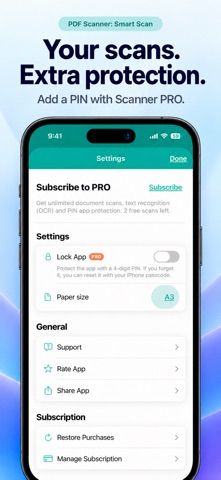
PDF Scanner: Smart Scan helps turn paper receipts, notes, and forms into organized digital documents. Users can capture pages with a camera or import photos, adjust borders and perspective, combine multiple pages, and edit their order. The app supports annotations, signatures, filters, PDF or JPG export, Files sharing, email, and AirPrint. Documents can be named and placed in folders, and exported PDFs can be password-protected. Scanner PRO adds OCR, a PIN lock, unlimited scans, and unlimited exports. The free allowance is limited to one document and one completed export in total; viewing and editing saved documents remains available afterward. Subscription prices are shown locally before purchase.
PDF Scanner: Smart Scan
A document scanner for capturing receipts, notes, and forms, with page correction, annotations, folders, and PDF or JPG export.
By antonio jesus pujol diazReleased 2026/10/19No ratings yetOfficial store informationPublished 2026/11/04Checked 2026-11-04
Overview
A closer look at PDF Scanner: Smart Scan.
A closer look
App screenshots
Choose with confidence
The useful details.
What it does
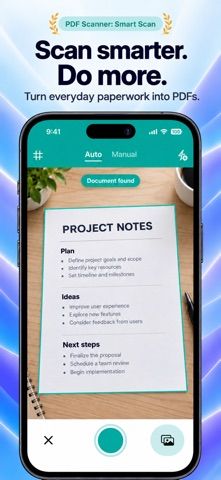
- Capture pages with automatic or manual camera scanning or import photos.
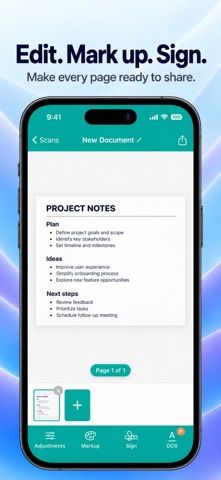
- Correct perspective, crop, rotate, annotate, sign, and reorder pages.
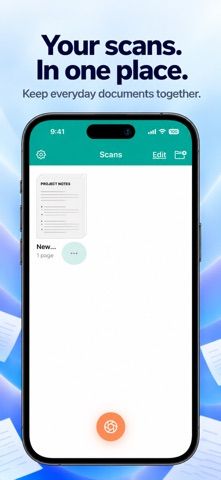
- Organize documents in folders and export as PDF or JPG.
- Use Scanner PRO for OCR, app PIN protection, and unlimited scans and exports.
A good fit for
- People who need to digitize and organize everyday receipts, notes, and forms on an iPhone.
Worth knowing
- The free allowance is one document and one completed export in total; further scans and exports require PRO.
- PRO is offered monthly, every three months, or yearly; the three-day trial is only for eligible monthly subscribers.
Frequently asked questions
Answers based on the app’s official listing and reviewed information.
What is PDF Scanner: Smart Scan used for?
A document scanner for capturing receipts, notes, and forms, with page correction, annotations, folders, and PDF or JPG export.
What can you do with PDF Scanner: Smart Scan?
Capture pages with automatic or manual camera scanning or import photos. Correct perspective, crop, rotate, annotate, sign, and reorder pages. Organize documents in folders and export as PDF or JPG. Use Scanner PRO for OCR, app PIN protection, and unlimited scans and exports.
Who is PDF Scanner: Smart Scan designed for?
People who need to digitize and organize everyday receipts, notes, and forms on an iPhone.
What should you know before downloading PDF Scanner: Smart Scan?
The free allowance is one document and one completed export in total; further scans and exports require PRO. PRO is offered monthly, every three months, or yearly; the three-day trial is only for eligible monthly subscribers.
Does PDF Scanner: Smart Scan include paid features?
Scanner PRO is offered monthly, three-monthly, or yearly; eligible new monthly subscribers may receive a three-day trial. Local pricing is shown before purchase.
Which platforms support PDF Scanner: Smart Scan?
Greatooly's reviewed app information lists iOS.
Researched from official sources; this is not a hands-on review. Last checked 2026-11-04.
Keep exploring
More apps that might be a good fit.

CleanHaus: Airbnb Turnovers
CleanHaus automates short-term rental turnovers by connecting booking calendars with cleaners, schedules and property tasks.

GoalStar: Daily Goal Tracker
GoalStar makes daily goals visible with a gold-star chart, streaks, reminders, widgets and optional NFC tap tags.

Accessbox - Password Manager
Accessbox stores passwords, passkeys and verification codes in encrypted Accesscards with AutoFill, breach alerts and optional iCloud sync.