
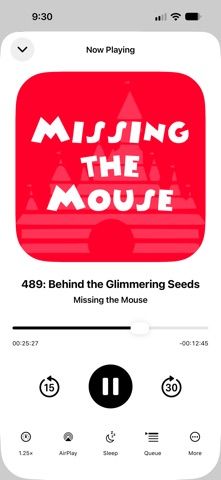
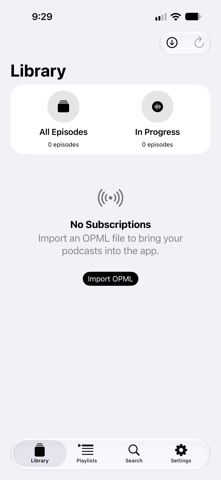
Orca is a podcast player for listeners who want playback tools and transcripts while keeping downloaded audio on their device. Its on-device analysis can shorten silences while preserving conversational rhythm, enhance speech, and detect music so timing is handled differently. It can also generate searchable, time-indexed transcripts and display them as an episode plays. Standard listening features include offline downloads, playlists, chapters, queues, playback-speed controls, sleep timers, episode organization, and CarPlay support. The developer says audio is not uploaded for processing and generated transcripts remain on the device; optional iCloud sync stores library information and playback position, while audio stays local. The listing does not state current pricing or clarify any feature limits, so check the app's offer before importing a large library.
Orca: Podcast App
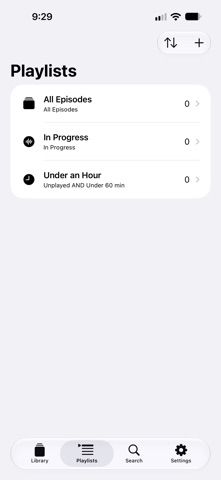
Orca is a podcast player with on-device silence shortening, speech enhancement, music-aware playback, searchable time-indexed transcripts, offline downloads, playlists, chapters, playback controls, sleep timers, and CarPlay. Audio and transcript processing stay on-device; optional iCloud sync stores library and playback state.
Overview
A closer look at Orca: Podcast App.
A closer look
App screenshots
Choose with confidence
The useful details.
What it does
- On-device silence shortening and speech enhancement
- Searchable, time-indexed transcripts with follow-along view
- Offline downloads, playlists, chapters, queues, and sleep timers
- CarPlay support and optional iCloud sync for library state
A good fit for
- Podcast listeners who want transcripts and audio cleanup
- People who prefer downloaded audio and on-device processing
Worth knowing
- Pricing and any feature limits are not specified in the listing; transcripts depend on on-device processing.
Frequently asked questions
Answers based on the app’s official listing and reviewed information.
What is Orca: Podcast App used for?
Orca is a podcast player with on-device silence shortening, speech enhancement, music-aware playback, searchable time-indexed transcripts, offline downloads, playlists, chapters, playback controls, sleep timers, and CarPlay. Audio and transcript processing stay on-device; optional iCloud sync stores library and playback state.
What can you do with Orca: Podcast App?
On-device silence shortening and speech enhancement Searchable, time-indexed transcripts with follow-along view Offline downloads, playlists, chapters, queues, and sleep timers CarPlay support and optional iCloud sync for library state
Who is Orca: Podcast App designed for?
Podcast listeners who want transcripts and audio cleanup People who prefer downloaded audio and on-device processing
What should you know before downloading Orca: Podcast App?
Pricing and any feature limits are not specified in the listing; transcripts depend on on-device processing.
Does Orca: Podcast App include paid features?
The reviewed listing does not confirm current in-app purchase options.
Which platforms support Orca: Podcast App?
Greatooly's reviewed app information lists iOS.
Researched from official sources; this is not a hands-on review. Last checked 2026-11-04.
Keep exploring
More apps that might be a good fit.

Syntheremin: Theremin Synth
Syntheremin uses iPhone hand tracking to turn air gestures into continuous pitch, volume, filter changes and layered harmony without touching the screen.

Title Card: Media Diary
Title Card is an on-device media diary for movies, TV, books and podcasts, with notes, ratings, annual top tens, imports and backup exports.

Groupiez: Local Concerts
Groupiez logs concert memories and upcoming shows, discovers nearby events and fans, and supports taste matching, chats and live-music recaps.