
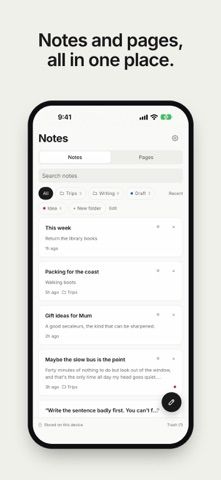
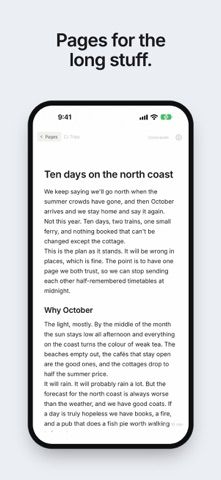
Nib is a writing space for people who want quick notes and longer drafts in one library. Notes capture short thoughts; Pages support headings, outlines, images, and tables. Users can organize work in folders, link related notes, set reminders, and send text into the app from the iOS share sheet. Writing stays on the device unless the user shares a draft or enables sync. The free version includes Markdown export and a full-library backup. Nib Plus adds encrypted sync and backup, Word, PDF, and HTML export, expanded version history, and writing goals. The US App Store lists Plus at $3.99 monthly or $44.99 yearly. It suits writers who value local storage and portability, though some organization and cross-device features require a subscription.
Nib - Private Notes
A private writing and note-taking app with linked notes, long-form pages, Markdown import and export, and optional encrypted sync.
Overview
A closer look at Nib - Private Notes.
A closer look
App screenshots
Choose with confidence
The useful details.
What it does
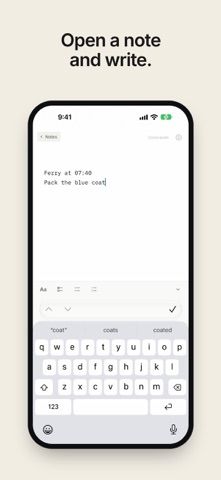
- Capture quick notes or write structured pages with headings, outlines, images, and tables.
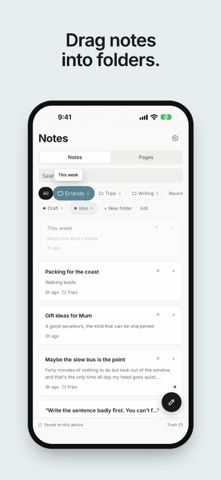
- Link related notes, organize them in folders, and create notes from the share sheet or widgets.
- Import Markdown and export pages or a full-library backup without a subscription.
- Add encrypted sync, encrypted backups, more export formats, and extended history with Nib Plus.
A good fit for
- Writers who want a quiet notes app with local-first storage and file export.
Worth knowing
- The free plan limits folders and categories; encrypted sync, expanded history, and Word/PDF/HTML export require Nib Plus. The US App Store lists Plus at $3.99 monthly or $44.99 yearly.
Frequently asked questions
Answers based on the app’s official listing and reviewed information.
What is Nib - Private Notes used for?
A private writing and note-taking app with linked notes, long-form pages, Markdown import and export, and optional encrypted sync.
What can you do with Nib - Private Notes?
Capture quick notes or write structured pages with headings, outlines, images, and tables. Link related notes, organize them in folders, and create notes from the share sheet or widgets. Import Markdown and export pages or a full-library backup without a subscription. Add encrypted sync, encrypted backups, more export formats, and extended history with Nib Plus.
Who is Nib - Private Notes designed for?
Writers who want a quiet notes app with local-first storage and file export.
What should you know before downloading Nib - Private Notes?
The free plan limits folders and categories; encrypted sync, expanded history, and Word/PDF/HTML export require Nib Plus. The US App Store lists Plus at $3.99 monthly or $44.99 yearly.
Does Nib - Private Notes include paid features?
US App Store: Nib Plus is $3.99 monthly or $44.99 yearly; new subscribers may see a free trial.
Which platforms support Nib - Private Notes?
Greatooly's reviewed app information lists iOS.
Researched from official sources; this is not a hands-on review. Last checked 2026-11-04.
Keep exploring
More apps that might be a good fit.

CleanHaus: Airbnb Turnovers
CleanHaus automates short-term rental turnovers by connecting booking calendars with cleaners, schedules and property tasks.

GoalStar: Daily Goal Tracker
GoalStar makes daily goals visible with a gold-star chart, streaks, reminders, widgets and optional NFC tap tags.

Accessbox - Password Manager
Accessbox stores passwords, passkeys and verification codes in encrypted Accesscards with AutoFill, breach alerts and optional iCloud sync.