
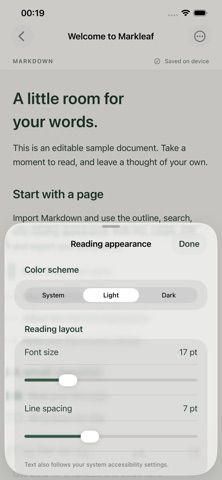
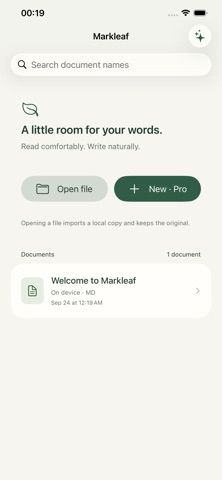
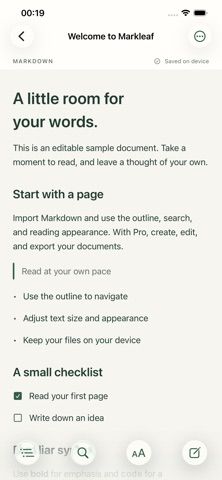
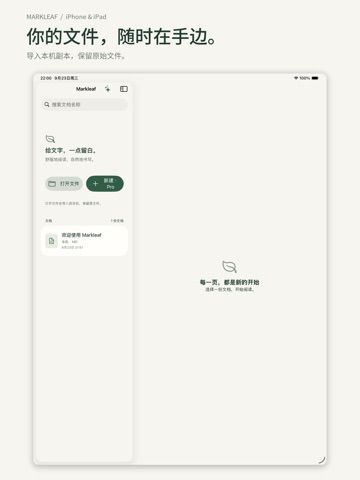
Markleaf is a small Markdown workspace for reading and organizing plain-text documents on a phone. Reading, importing, outlines, search, and appearance settings are available for free. Users can open a file to import a local copy while leaving the original untouched; the app supports UTF-8 files up to 2 MB. Pro unlocks writing and export through a one-time purchase with lifetime access and no automatic renewal. The listing says images, formulas, Mermaid diagrams, and editing an external file in place are not supported in this version. That makes Markleaf better suited to text notes or reading a lightweight document than to a full technical publishing workflow. Confirm that the file size and Markdown features fit your existing documents before moving an archive into the app.

Markleaf - Markdown Editor
A lightweight Markdown reader and editor with local file imports, outlines, search, and a lifetime Pro unlock.
Overview
A closer look at Markleaf - Markdown Editor.
A closer look
App screenshots
Choose with confidence
The useful details.
What it does
- Import and read UTF-8 Markdown files up to 2 MB
- Use outlines and search to navigate documents
- Write and export files with the Pro unlock
- Keep the original file unchanged when importing a local copy
A good fit for
- People who want a lightweight Markdown reader on iPhone
- Writers who need basic text editing and export rather than a full publishing suite
Worth knowing
- Images, formulas, Mermaid, and in-place editing of external files are not supported; writing and export require a one-time Pro purchase.
Frequently asked questions
Answers based on the app’s official listing and reviewed information.
What is Markleaf - Markdown Editor used for?
A lightweight Markdown reader and editor with local file imports, outlines, search, and a lifetime Pro unlock.
What can you do with Markleaf - Markdown Editor?
Import and read UTF-8 Markdown files up to 2 MB Use outlines and search to navigate documents Write and export files with the Pro unlock Keep the original file unchanged when importing a local copy
Who is Markleaf - Markdown Editor designed for?
People who want a lightweight Markdown reader on iPhone Writers who need basic text editing and export rather than a full publishing suite
What should you know before downloading Markleaf - Markdown Editor?
Images, formulas, Mermaid, and in-place editing of external files are not supported; writing and export require a one-time Pro purchase.
Does Markleaf - Markdown Editor include paid features?
Import, reading, outlines, search, and appearance are free. Pro unlocks writing and export with a one-time lifetime purchase; current price is shown in the App Store purchase flow.
Which platforms support Markleaf - Markdown Editor?
Greatooly's reviewed app information lists iOS.
Researched from official sources; this is not a hands-on review. Last checked 2026-11-04.
Keep exploring
More apps that might be a good fit.

CleanHaus: Airbnb Turnovers
CleanHaus automates short-term rental turnovers by connecting booking calendars with cleaners, schedules and property tasks.

GoalStar: Daily Goal Tracker
GoalStar makes daily goals visible with a gold-star chart, streaks, reminders, widgets and optional NFC tap tags.

Accessbox - Password Manager
Accessbox stores passwords, passkeys and verification codes in encrypted Accesscards with AutoFill, breach alerts and optional iCloud sync.