
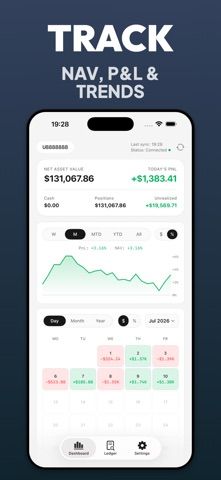
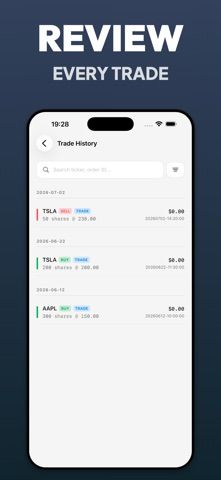
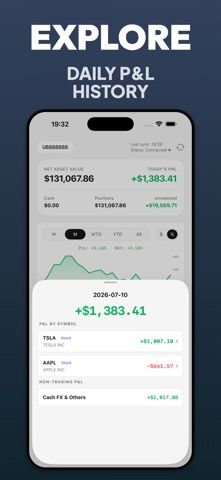
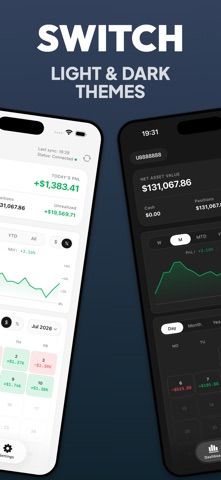
iLedger is an independent mobile journal for people who use Interactive Brokers and want to review their own account history. Import an Activity Flex report to view portfolio value, positions, cash, cost basis, and realized or unrealized profit and loss. Trade history can be searched and filtered, with per-symbol results and closed-trade details. The app also describes daily P&L charts, returns, calendar views, and explanations of activity that changed net asset value. iLedger says reports are processed without sending financial files through a developer-operated server. It is not affiliated with Interactive Brokers, does not provide a real-time market feed, and does not execute trades. The developer also says it does not provide investment, tax, or legal advice. Compare figures with official brokerage records before making financial decisions.

iLedger: Investment Journal
An investment journal that turns Interactive Brokers Activity Flex reports into portfolio and trade history.
Overview
A closer look at iLedger: Investment Journal.
A closer look
App screenshots
Choose with confidence
The useful details.
What it does
- Import Interactive Brokers Activity Flex reports
- Review positions, cash, cost basis, and realized or unrealized P&L
- Search trade history and inspect closed-trade details
- View daily performance charts and changes in net asset value
A good fit for
- Interactive Brokers customers reviewing portfolio and trade history
- Investors who want a readable journal from brokerage export files
Worth knowing
- Requires Activity Flex reports and is not a real-time market feed, trading interface, or financial adviser.
Frequently asked questions
Answers based on the app’s official listing and reviewed information.
What is iLedger: Investment Journal used for?
An investment journal that turns Interactive Brokers Activity Flex reports into portfolio and trade history.
What can you do with iLedger: Investment Journal?
Import Interactive Brokers Activity Flex reports Review positions, cash, cost basis, and realized or unrealized P&L Search trade history and inspect closed-trade details View daily performance charts and changes in net asset value
Who is iLedger: Investment Journal designed for?
Interactive Brokers customers reviewing portfolio and trade history Investors who want a readable journal from brokerage export files
What should you know before downloading iLedger: Investment Journal?
Requires Activity Flex reports and is not a real-time market feed, trading interface, or financial adviser.
Does iLedger: Investment Journal include paid features?
The US App Store lists a free download.
Which platforms support iLedger: Investment Journal?
Greatooly's reviewed app information lists iOS.
Researched from official sources; this is not a hands-on review. Last checked 2026-11-04.
Keep exploring
More apps that might be a good fit.

Jars: Savings Goal Tracker
Jars tracks user-entered savings goals, deposits, and withdrawal plans without holding or moving money.

Coal - Gift List & Budget
Budget for gifts by recipient and track each purchase through delivery, wrapping, and returns.

Budget Planner App: Tally
A personal budget app with voice expense entry, automatic category suggestions, spending limits, and charts.