
GroupCal is a shared calendar app for coordinating schedules with other people. Users can create separate calendars for a household, class, team, or community, then invite members with a link or phone number. The listing says members receive updates when events change and can view existing Apple, Google, or Outlook calendars in one place. Public calendars can also be discoverable. Confirm which calendar is private or public before posting personal events, and review permissions when inviting new members. The app is listed as free, though optional paid features may vary. Calendar sharing is only useful when members keep event details current and notifications are enabled.

GroupCal - Shared Calendar
Create shared calendars for family, teams, or communities, invite members by link or phone, and sync events in real time.
By 24meApp Store rating 4.7 (884)Official store informationPublished 2026/11/03Checked 2026-11-03
Overview
A closer look at GroupCal - Shared Calendar.
A closer look
App screenshots
Choose with confidence
The useful details.
What it does
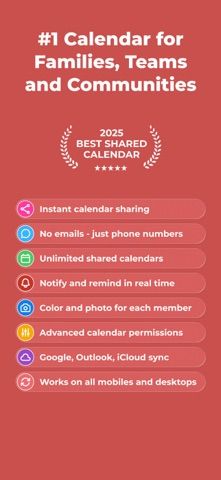
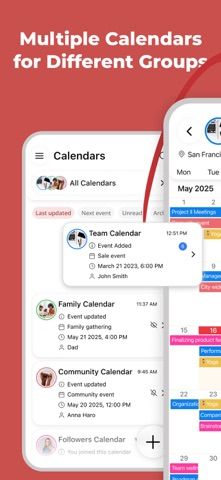
- Create multiple calendars for separate groups or purposes.
- Invite members using a link, phone number, or messaging app.
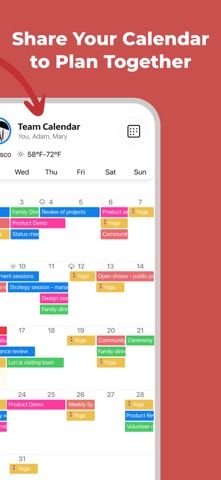
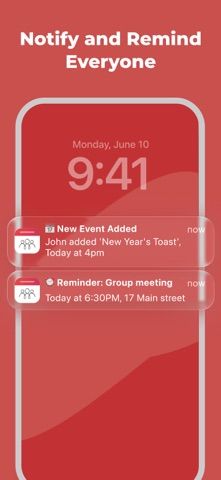
- Share event updates in real time with calendar members.
- View supported Apple, Google, and Outlook calendars together.
A good fit for
- Families and groups that need a shared schedule with live event updates.
Worth knowing
- Review calendar visibility and member permissions before sharing personal events.
- Notifications depend on device settings and members' participation.
- The app is listed as free; confirm any optional paid features and current terms.
Frequently asked questions
Answers based on the app’s official listing and reviewed information.
What is GroupCal - Shared Calendar used for?
Create shared calendars for family, teams, or communities, invite members by link or phone, and sync events in real time.
What can you do with GroupCal - Shared Calendar?
Create multiple calendars for separate groups or purposes. Invite members using a link, phone number, or messaging app. Share event updates in real time with calendar members. View supported Apple, Google, and Outlook calendars together.
Who is GroupCal - Shared Calendar designed for?
Families and groups that need a shared schedule with live event updates.
What should you know before downloading GroupCal - Shared Calendar?
Review calendar visibility and member permissions before sharing personal events. Notifications depend on device settings and members' participation. The app is listed as free; confirm any optional paid features and current terms.
Does GroupCal - Shared Calendar include paid features?
The reviewed listing does not confirm current in-app purchase options.
Which platforms support GroupCal - Shared Calendar?
Greatooly's reviewed app information lists iOS.
Researched from official sources; this is not a hands-on review. Last checked 2026-11-03.
Keep exploring
More apps that might be a good fit.

GoStash: Home Inventory
GoStash creates a searchable home inventory from photos, supports shared spaces and iCloud backup, tracks expirations, quantity and item value, with optional Pro upgrades.

Leaflet: Plant Care Tracker
Leaflet keeps houseplant care schedules, watering reminders, growth photos, room groups, care history and pet-safety notes in an offline plant journal.

Wishdea: Gift Wishlists
Wishdea helps people share gift wishlists with links, private passcodes, gift details, priorities and surprise-safe reservations to prevent duplicates.