
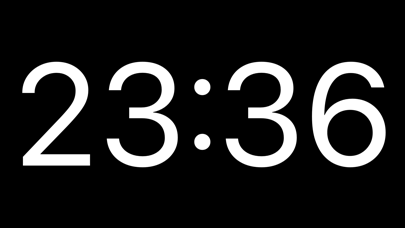
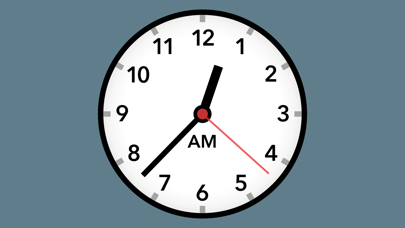
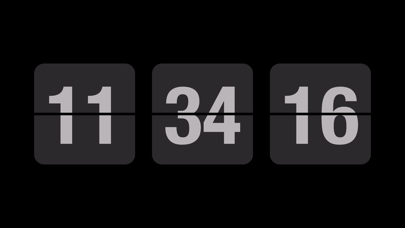
Fullscreen Clock combines a retro-style flip clock with timers intended for study or desk use. The listing describes Pomodoro and custom focus sessions, a countdown timer, stopwatch, clock themes, background photos, and Home Screen widgets. On iPad, a floating clock can stay visible while other apps are open. It may suit people who want a prominent time display or a simple timer beside their work. The app does not manage tasks or block every distraction, and a timer alone cannot ensure focus. Check which themes, widgets, and premium options are included before customizing a setup, and review subscription or purchase terms in the App Store.
Fullscreen Clock: Flip & Focus
Use a customizable flip clock, focus timer, countdown, stopwatch, and widgets with Fullscreen Clock.
By Shenzhen Gude Aipu Technology Co., LtdApp Store rating 4.7 (2,227)Official store informationPublished 2026/11/03Checked 2026-11-03
Overview
A closer look at Fullscreen Clock: Flip & Focus.
A closer look
App screenshots
Choose with confidence
The useful details.
What it does
- Display a full-screen animated flip clock with customizable themes.
- Run Pomodoro-style or custom focus timers.
- Use countdown and stopwatch modes.
- Add clock widgets or a floating clock on supported iPads.
A good fit for
- People who want a visible desk clock and simple focus or countdown timer.
Worth knowing
- It is a clock and timer, not a task manager or comprehensive distraction blocker.
- Check which themes, widgets, and other features require payment.
- Verify current upgrade or subscription terms before purchase.
Frequently asked questions
Answers based on the app’s official listing and reviewed information.
What is Fullscreen Clock: Flip & Focus used for?
Use a customizable flip clock, focus timer, countdown, stopwatch, and widgets with Fullscreen Clock.
What can you do with Fullscreen Clock: Flip & Focus?
Display a full-screen animated flip clock with customizable themes. Run Pomodoro-style or custom focus timers. Use countdown and stopwatch modes. Add clock widgets or a floating clock on supported iPads.
Who is Fullscreen Clock: Flip & Focus designed for?
People who want a visible desk clock and simple focus or countdown timer.
What should you know before downloading Fullscreen Clock: Flip & Focus?
It is a clock and timer, not a task manager or comprehensive distraction blocker. Check which themes, widgets, and other features require payment. Verify current upgrade or subscription terms before purchase.
Does Fullscreen Clock: Flip & Focus include paid features?
The reviewed listing does not confirm current in-app purchase options.
Which platforms support Fullscreen Clock: Flip & Focus?
Greatooly's reviewed app information lists iOS.
Researched from official sources; this is not a hands-on review. Last checked 2026-11-03.
Keep exploring
More apps that might be a good fit.

CleanHaus: Airbnb Turnovers
CleanHaus automates short-term rental turnovers by connecting booking calendars with cleaners, schedules and property tasks.

GoalStar: Daily Goal Tracker
GoalStar makes daily goals visible with a gold-star chart, streaks, reminders, widgets and optional NFC tap tags.

Accessbox - Password Manager
Accessbox stores passwords, passkeys and verification codes in encrypted Accesscards with AutoFill, breach alerts and optional iCloud sync.