
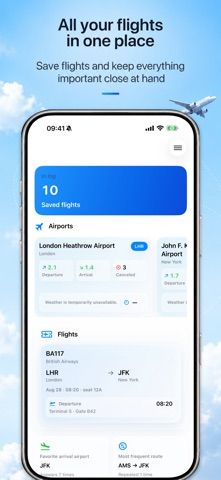
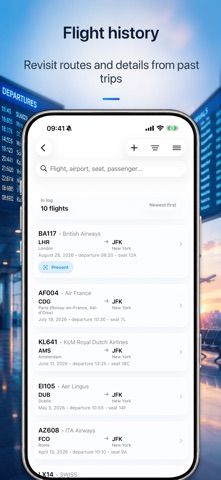
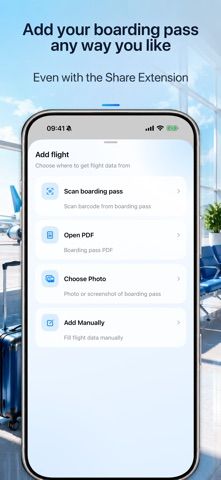
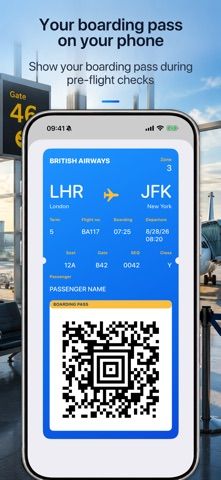
Flighter stores boarding passes and can track flights by number and departure date. Passes can be imported from a barcode, photo, screenshot, PDF, or share sheet. The app lists route, gate, terminal, seat, baggage belt, airport weather, and delay information when available, and can send notifications about flight changes. Users can share a tracking link without sharing their boarding pass or passenger details, according to the listing. After a trial, tracking flights yourself, sharing flights, and some other features require Flighter Premium; the billing term and current price are not stated in the description. Flight data depends on airlines, airports, and external providers and may be incomplete or delayed. Flighter is not an official airline or airport app.
Flighter: Flight Tracker
A flight organizer for boarding passes, live flight updates, airport details, notifications, and travel history.
Overview
A closer look at Flighter: Flight Tracker.
A closer look
App screenshots
Choose with confidence
The useful details.
What it does
- Imports boarding passes from barcodes, photos, PDFs, and the iOS share sheet.
- Tracks flights and can notify users about changes and airport details.
- Keeps a personal flight history with maps, statistics, and iCloud sync.
A good fit for
- Frequent travelers who want boarding passes and flight updates in one place.
- People who share a flight status link without sharing passenger documents.
Worth knowing
- Some tracking and sharing features require Premium after a trial; live details depend on third-party data and can be delayed.
Frequently asked questions
Answers based on the app’s official listing and reviewed information.
What is Flighter: Flight Tracker used for?
A flight organizer for boarding passes, live flight updates, airport details, notifications, and travel history.
What can you do with Flighter: Flight Tracker?
Imports boarding passes from barcodes, photos, PDFs, and the iOS share sheet. Tracks flights and can notify users about changes and airport details. Keeps a personal flight history with maps, statistics, and iCloud sync.
Who is Flighter: Flight Tracker designed for?
Frequent travelers who want boarding passes and flight updates in one place. People who share a flight status link without sharing passenger documents.
What should you know before downloading Flighter: Flight Tracker?
Some tracking and sharing features require Premium after a trial; live details depend on third-party data and can be delayed.
Does Flighter: Flight Tracker include paid features?
The reviewed listing does not confirm current in-app purchase options.
Which platforms support Flighter: Flight Tracker?
Greatooly's reviewed app information lists iOS.
Researched from official sources; this is not a hands-on review. Last checked 2026-11-04.
Keep exploring
More apps that might be a good fit.

Tripdrobe: Outfit Packing List
Plan outfits and packing lists by trip date, with premium weather, baggage, wardrobe, and group tools.

SkyFlight Tracker
A flight companion with live status, gate countdowns, route maps, layover risk alerts, airport weather, and travel statistics.
FLITx・Live Flight Tracker Map
A live flight map for searching aircraft and routes, checking flight status, and viewing nearby airport activity.