
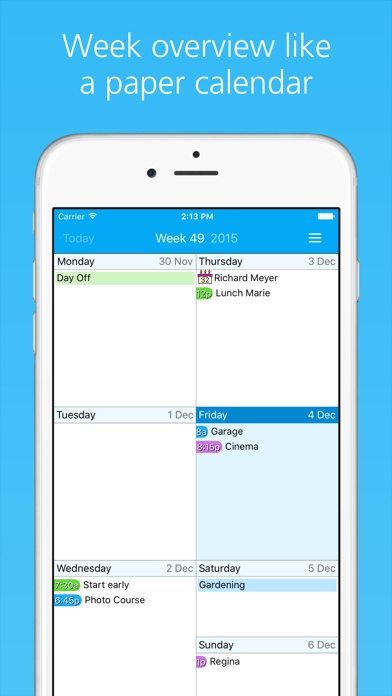
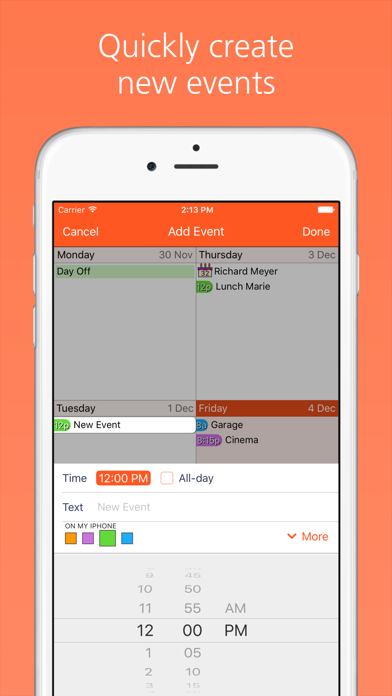
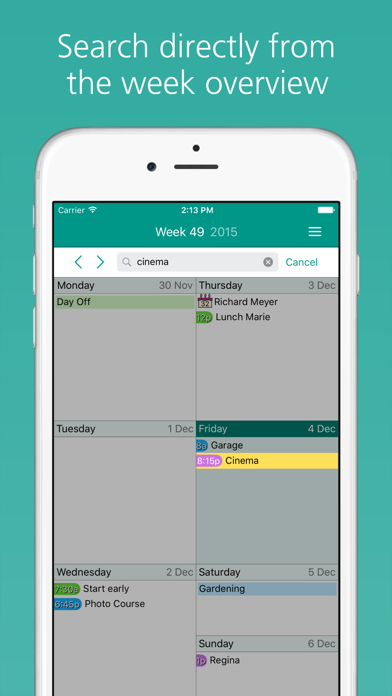
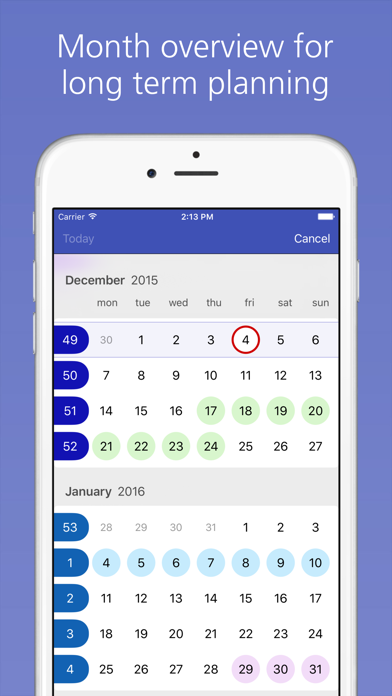
Easy Calendar is a calendar app built around a compact weekly view and quick event editing. The listing describes one-week and three-week layouts, a month view, event search, and moving or copying events between dates. It syncs with the native iPhone calendar and compatible services such as iCloud, Outlook, Google Calendar, and CalDAV. The listing gives a US$1.99 App Store download price and describes a separate annual subscription for continuing access to additional calendars, with a one-month trial; check the current checkout terms because prices can change. Calendar permissions determine which events appear. Confirm how subscription features behave if you cancel and keep an independent calendar backup for important events.

Easy Calendar
Manage a weekly or monthly calendar, sync native events, and add recurring plans with a compact week view.
By Tom van ZummerenApp Store rating 4.7 (2,599)Official store informationPublished 2026/11/03Checked 2026-11-03
Overview
A closer look at Easy Calendar.
A closer look
App screenshots
Choose with confidence
The useful details.
What it does
- Switch between weekly, three-week, and monthly calendar views.
- Create, edit, move, and search calendar events.
- Sync with the native iPhone calendar and supported account providers.
- Customize themes and add optional calendar information.
A good fit for
- People who prefer a weekly calendar view with quick event editing.
Worth knowing
- Calendar access depends on device permissions and connected accounts.
- The listing describes a paid download and a separate annual subscription; verify current terms before purchase.
Frequently asked questions
Answers based on the app’s official listing and reviewed information.
What is Easy Calendar used for?
Manage a weekly or monthly calendar, sync native events, and add recurring plans with a compact week view.
What can you do with Easy Calendar?
Switch between weekly, three-week, and monthly calendar views. Create, edit, move, and search calendar events. Sync with the native iPhone calendar and supported account providers. Customize themes and add optional calendar information.
Who is Easy Calendar designed for?
People who prefer a weekly calendar view with quick event editing.
What should you know before downloading Easy Calendar?
Calendar access depends on device permissions and connected accounts. The listing describes a paid download and a separate annual subscription; verify current terms before purchase.
Does Easy Calendar include paid features?
The US App Store download price was US$1.99 when checked; confirm the current store price. The listing describes a US$1.99 yearly subscription for ongoing access to additional calendars, with a one-month trial. Verify current price and renewal terms.
Which platforms support Easy Calendar?
Greatooly's reviewed app information lists iOS.
Researched from official sources; this is not a hands-on review. Last checked 2026-11-03.
Keep exploring
More apps that might be a good fit.

GoStash: Home Inventory
GoStash creates a searchable home inventory from photos, supports shared spaces and iCloud backup, tracks expirations, quantity and item value, with optional Pro upgrades.

Leaflet: Plant Care Tracker
Leaflet keeps houseplant care schedules, watering reminders, growth photos, room groups, care history and pet-safety notes in an offline plant journal.

Wishdea: Gift Wishlists
Wishdea helps people share gift wishlists with links, private passcodes, gift details, priorities and surprise-safe reservations to prevent duplicates.