
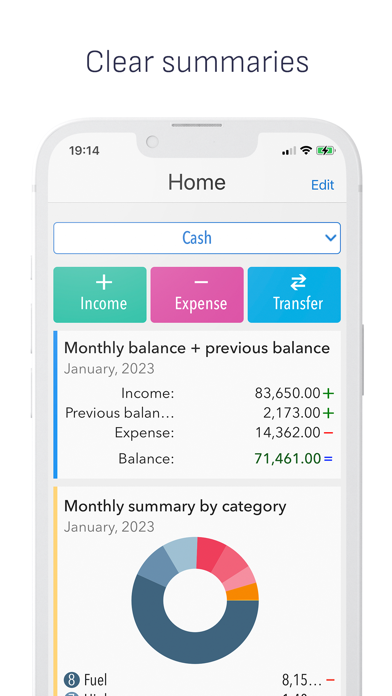
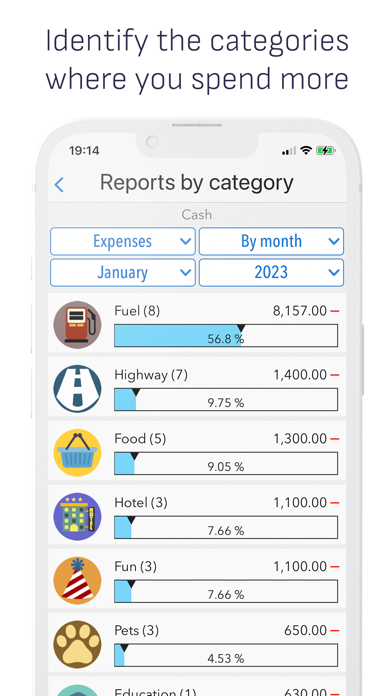
Daily Expenses is a manual income and spending log with reports organized by day, week, month, or year. The listing describes categories, recurring entries, graphical summaries, password protection, and local database backups. Premium features include removing ads, exporting reports, adding or editing accounts, budgets, category trends, and cloud backup options; an icon store also sells optional designs. The listing does not clearly state current prices or whether Premium is a subscription or one-time purchase. Users should check backup destinations and protect exported files, since financial records are sensitive. The app helps organize what a person enters; it does not automatically verify transactions or provide financial, tax, or investment advice.

Daily Expenses: Finance
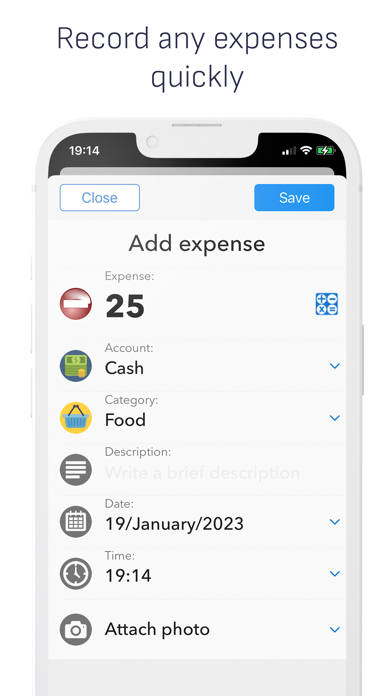
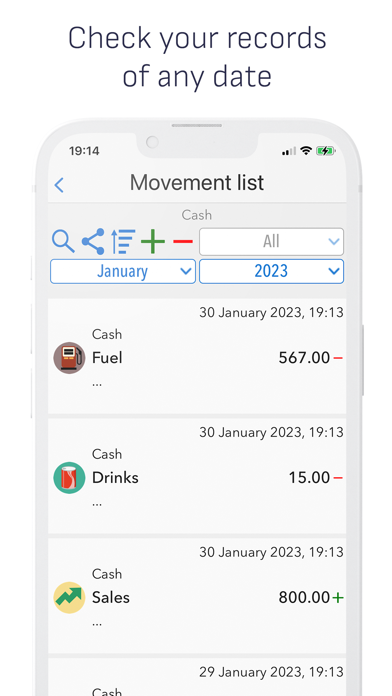
Record income and expenses by date, schedule recurring transactions, and review summaries and charts.
Overview
A closer look at Daily Expenses: Finance.
A closer look
App screenshots
Choose with confidence
The useful details.
What it does
- Log income and expenses under customizable categories.
- Schedule recurring transactions and review period summaries.
- View graphical reports and organize multiple accounts.
- Back up records and export reports with supported Premium features.
A good fit for
- People who want a straightforward manual record of income and spending.
Worth knowing
- Transactions must be entered or otherwise added by the user; automatic bank syncing is not described.
- Premium prices and payment type should be checked in the app.
Frequently asked questions
Answers based on the app’s official listing and reviewed information.
What is Daily Expenses: Finance used for?
Record income and expenses by date, schedule recurring transactions, and review summaries and charts.
What can you do with Daily Expenses: Finance?
Log income and expenses under customizable categories. Schedule recurring transactions and review period summaries. View graphical reports and organize multiple accounts. Back up records and export reports with supported Premium features.
Who is Daily Expenses: Finance designed for?
People who want a straightforward manual record of income and spending.
What should you know before downloading Daily Expenses: Finance?
Transactions must be entered or otherwise added by the user; automatic bank syncing is not described. Premium prices and payment type should be checked in the app.
Does Daily Expenses: Finance include paid features?
The reviewed listing does not confirm current in-app purchase options.
Which platforms support Daily Expenses: Finance?
Greatooly's reviewed app information lists iOS.
Researched from official sources; this is not a hands-on review. Last checked 2026-11-03.
Keep exploring
More apps that might be a good fit.

Jars: Savings Goal Tracker
Jars tracks user-entered savings goals, deposits, and withdrawal plans without holding or moving money.

Coal - Gift List & Budget
Budget for gifts by recipient and track each purchase through delivery, wrapping, and returns.

Budget Planner App: Tally
A personal budget app with voice expense entry, automatic category suggestions, spending limits, and charts.