
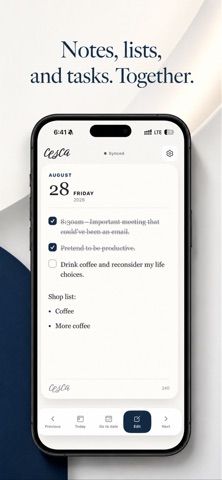
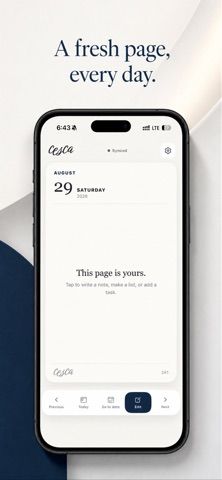
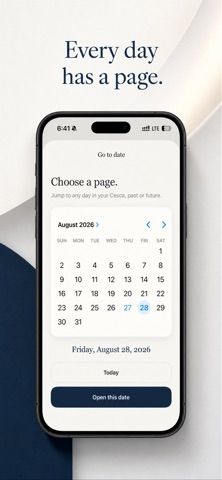
Cesca is a lightweight daily planner that gives each date a page for free-form notes, simple lists, and tasks. Users can mark items urgent, move an entry to a different day, and browse past or future dates without building a complex project system. Pages can be shared as an image or private link, and the app works offline. It can be used immediately without an account, keeping pages on the device; signing in with Apple, Google, or email enables syncing and access through the Cesca website. The app is free to download and the US App Store listing shows no in-app purchases. It requires iOS 15.1 or later on iPhone. Cesca is intentionally focused on one-day planning rather than shared calendars or project management. Account-based syncing involves associating notes and preferences with an account, so users can choose local-only use or enable cross-device access.

Cesca: Daily Planner
Cesca gives each date a focused page for notes, lists, and tasks, with offline use and optional account-based sync to the web.
Overview
A closer look at Cesca: Daily Planner.
A closer look
App screenshots

Choose with confidence
The useful details.
What it does
- Keep a dated page with free-form notes, lists, and checkable tasks.
- Mark important entries urgent and move notes or tasks to another date.
- Use the planner offline and share a page as an image or private link.
- Start without an account or sign in to sync pages and continue on the web.
A good fit for
- People who want a calm daily page instead of a large project dashboard.
- Users who may start with local-only planning and add web sync later.
Worth knowing
- Designed for iPhone and requires iOS 15.1 or later.
- Cross-device and web sync require signing in; local pages remain on the device when no account is used.
- The app focuses on daily notes, lists, and tasks rather than shared calendars or complex project dependencies.
Frequently asked questions
Answers based on the app’s official listing and reviewed information.
What is Cesca: Daily Planner used for?
Cesca gives each date a focused page for notes, lists, and tasks, with offline use and optional account-based sync to the web.
What can you do with Cesca: Daily Planner?
Keep a dated page with free-form notes, lists, and checkable tasks. Mark important entries urgent and move notes or tasks to another date. Use the planner offline and share a page as an image or private link. Start without an account or sign in to sync pages and continue on the web.
Who is Cesca: Daily Planner designed for?
People who want a calm daily page instead of a large project dashboard. Users who may start with local-only planning and add web sync later.
What should you know before downloading Cesca: Daily Planner?
Designed for iPhone and requires iOS 15.1 or later. Cross-device and web sync require signing in; local pages remain on the device when no account is used. The app focuses on daily notes, lists, and tasks rather than shared calendars or complex project dependencies.
What does Cesca: Daily Planner cost?
Free to download. Free to download; no in-app purchases are listed in the US App Store.
Which platforms support Cesca: Daily Planner?
Greatooly's reviewed app information lists iOS.
Researched from official sources; this is not a hands-on review. Last checked 2026-11-10.
Keep exploring
More apps that might be a good fit.

CleanHaus: Airbnb Turnovers
CleanHaus automates short-term rental turnovers by connecting booking calendars with cleaners, schedules and property tasks.

GoalStar: Daily Goal Tracker
GoalStar makes daily goals visible with a gold-star chart, streaks, reminders, widgets and optional NFC tap tags.

Accessbox - Password Manager
Accessbox stores passwords, passkeys and verification codes in encrypted Accesscards with AutoFill, breach alerts and optional iCloud sync.