
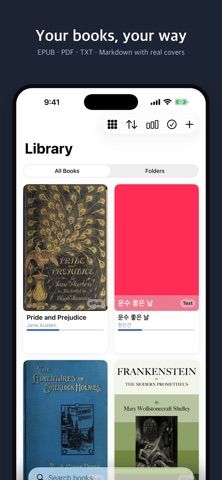
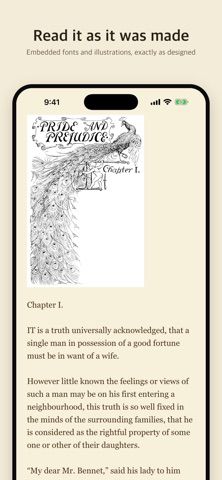
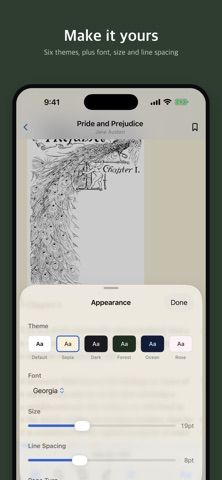
Booklip is a reader for books and documents users already own. It opens EPUB, PDF, TXT, and Markdown files, supports custom fonts and page colors, and includes text-to-speech with speed controls, highlighting, and a sleep timer. Readers can organize files into folders, use bookmarks and colored highlights, and track reading time and finished books. Dropbox, Google Drive, and OneDrive connections can be used to import files, and the app says those connections are read-only. Booklip is free to download, and the US listing says the developer does not collect data. It requires iOS 17.6 or later on iPhone or iPad, and compatible newer system versions on Mac.
Booklip — eBook Reader
A file-based ebook reader for EPUB, PDF, TXT, and Markdown with text-to-speech, reading themes, highlights, and cloud imports.
By Kevin ParkReleased 2026/09/17App Store rating 5.0 (5)Official store informationPublished 2026/11/04Checked 2026-11-04
Overview
A closer look at Booklip — eBook Reader.
A closer look
App screenshots
Choose with confidence
The useful details.
What it does
- Open EPUB, PDF, TXT, and Markdown documents with custom reading styles.
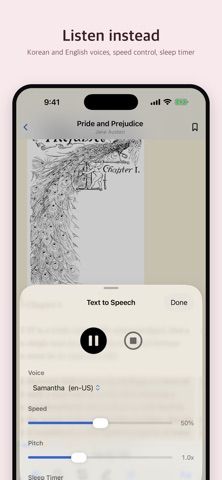
- Listen with text-to-speech, adjustable speed, highlighting, and a sleep timer.
- Organize a library with folders, bookmarks, and colored passage highlights.
- Import books from Dropbox, Google Drive, or OneDrive and read offline.
A good fit for
- Readers who want to bring their own ebook files and use text-to-speech or custom page styling.
Worth knowing
- Requires iOS 17.6 or later on iPhone and iPad; cloud links import files but do not edit connected storage.
Frequently asked questions
Answers based on the app’s official listing and reviewed information.
What is Booklip — eBook Reader used for?
A file-based ebook reader for EPUB, PDF, TXT, and Markdown with text-to-speech, reading themes, highlights, and cloud imports.
What can you do with Booklip — eBook Reader?
Open EPUB, PDF, TXT, and Markdown documents with custom reading styles. Listen with text-to-speech, adjustable speed, highlighting, and a sleep timer. Organize a library with folders, bookmarks, and colored passage highlights. Import books from Dropbox, Google Drive, or OneDrive and read offline.
Who is Booklip — eBook Reader designed for?
Readers who want to bring their own ebook files and use text-to-speech or custom page styling.
What should you know before downloading Booklip — eBook Reader?
Requires iOS 17.6 or later on iPhone and iPad; cloud links import files but do not edit connected storage.
Does Booklip — eBook Reader include paid features?
The reviewed listing reports no in-app purchases.
Which platforms support Booklip — eBook Reader?
Greatooly's reviewed app information lists iOS.
Researched from official sources; this is not a hands-on review. Last checked 2026-11-04.
Keep exploring
More apps that might be a good fit.

Reading Log XL — Book Tracker
Reading Log XL records reading time, pages, goals and streaks, organizes a three-shelf book list, and exports school-friendly reading reports.

MyBookShelf: Reading Log
MyBookShelf is a private reading catalog for scanning, organizing and tracking books, notes, ratings and reading progress.

Siftivo: What to Read Next
Siftivo suggests books from a reader’s taste and combines daily picks with reading shelves, reviews, reader follows, and a journal.