GreatoolyGreatooly
aWallet Password Manager app icon

aWallet Password Manager

Store passwords and other private records in an encrypted vault, with auto-lock, encrypted backup, and optional sync and biometric unlock features.

By Petr SynekApp Store rating 4.8 (3,546)Official store informationPublished 2026/11/03Checked 2026-11-03

Overview

A closer look at aWallet Password Manager.

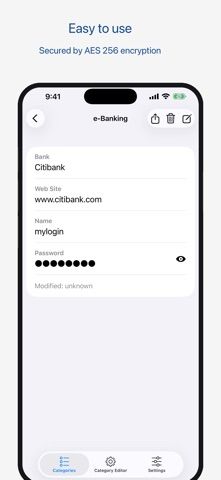
aWallet is a password and personal-data vault for storing account credentials, card details, and other custom records. Its listing says the data file is encrypted and can be backed up or restored through iTunes File Sharing. An auto-lock timer is available, and the developer describes an optional single Pro purchase.

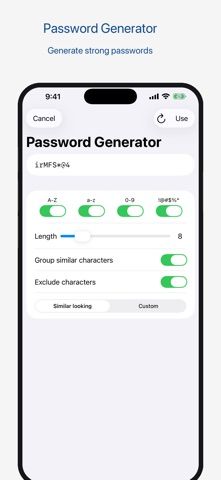
Pro features listed include cloud synchronization, Face ID or Touch ID unlock, a password generator, and CSV import. The app also supports CSV export, but the listing states that exported data is unencrypted. It describes an optional setting that can destroy the data file after repeated unsuccessful unlock attempts.

This is a sensitive-data app, so use a strong master password and test a backup before storing the only copy of important credentials. Keep exported CSV files protected because they are not encrypted, and understand the auto-destruction behavior before enabling it. We have not independently audited the cryptography or recovery process; review the developer's security documentation before relying on the vault.
A closer look

App screenshots

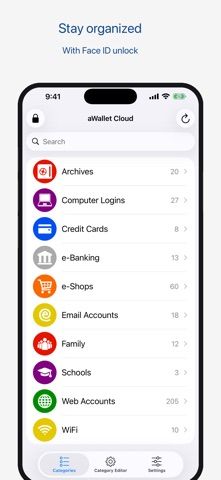
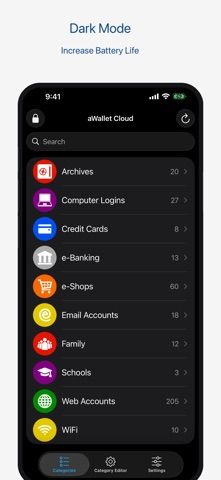
aWallet Password Manager official iOS screenshot 1aWallet Password Manager official iOS screenshot 2Official iOS store screenshotOfficial iOS store screenshot

Choose with confidence

The useful details.

What it does

  • Store passwords, card details, and custom records in a vault
  • Use auto-lock and a configurable master-password workflow
  • Back up and restore an encrypted data file
  • Buy Pro once for listed sync, biometric unlock, generator, and CSV import tools

A good fit for

  • People who want a local password vault with encrypted file backup and optional sync features

Worth knowing

  • The listing says CSV exports are unencrypted; protect or securely delete exported files.
  • An optional setting can destroy the data file after repeated failed unlock attempts; understand it before enabling.
  • We have not independently audited the app's encryption or recovery process.

Frequently asked questions

Answers based on the app’s official listing and reviewed information.

What is aWallet Password Manager used for?

Store passwords and other private records in an encrypted vault, with auto-lock, encrypted backup, and optional sync and biometric unlock features.

What can you do with aWallet Password Manager?

Store passwords, card details, and custom records in a vault Use auto-lock and a configurable master-password workflow Back up and restore an encrypted data file Buy Pro once for listed sync, biometric unlock, generator, and CSV import tools

Who is aWallet Password Manager designed for?

People who want a local password vault with encrypted file backup and optional sync features

What should you know before downloading aWallet Password Manager?

The listing says CSV exports are unencrypted; protect or securely delete exported files. An optional setting can destroy the data file after repeated failed unlock attempts; understand it before enabling. We have not independently audited the app's encryption or recovery process.

Does aWallet Password Manager include paid features?

The official listing describes Pro features as available through a single in-app purchase; the current price was not stated.

Which platforms support aWallet Password Manager?

Greatooly's reviewed app information lists iOS.

Researched from official sources; this is not a hands-on review. Last checked 2026-11-03.

Keep exploring

More apps that might be a good fit.

CleanHaus: Airbnb Turnovers

CleanHaus automates short-term rental turnovers by connecting booking calendars with cleaners, schedules and property tasks.

GoalStar: Daily Goal Tracker

GoalStar makes daily goals visible with a gold-star chart, streaks, reminders, widgets and optional NFC tap tags.

Accessbox - Password Manager

Accessbox stores passwords, passkeys and verification codes in encrypted Accesscards with AutoFill, breach alerts and optional iCloud sync.