
AudioSlice is a mobile editor for quick audio jobs that would otherwise require a desktop application. Users can import a recording, select a section, then trim, cut, fade, reverse, mute, or loop it. The app can mix multiple clips, convert audio formats, adjust playback speed or pitch, and detect beats per minute. It is aimed at practical outputs such as podcast excerpts, practice tracks, ringtones, social-media audio, and sound effects. The US App Store listing describes a free iPhone download and says the developer does not collect data, but it does not show a clear current US in-app pricing menu. Some regional listing information may differ, so confirm any optional purchase before starting a workflow. AudioSlice is a focused clip editor; users needing large multitrack sessions or desktop production tools may need a more specialized workstation.

AudioSlice: Music Editor
An iPhone audio editor for trimming, mixing, converting, and adjusting clips for podcasts, music, and social posts.
Overview
A closer look at AudioSlice: Music Editor.
A closer look
App screenshots
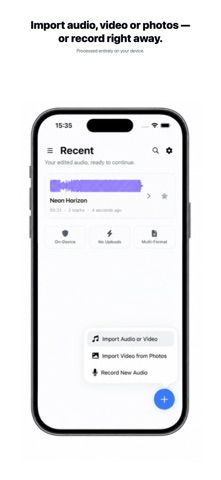
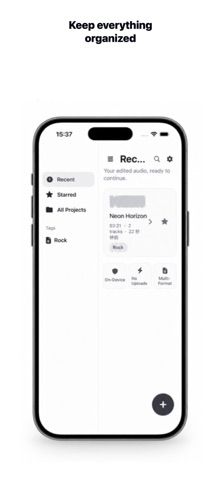
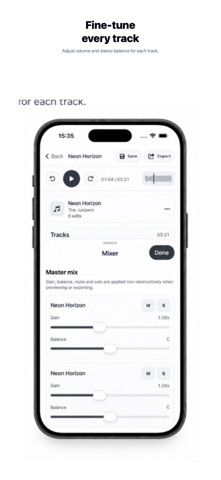
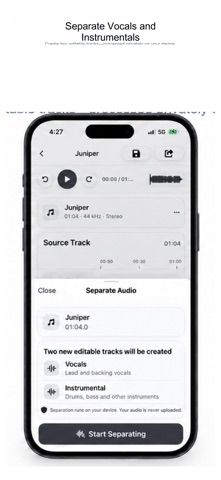
Choose with confidence
The useful details.
What it does
- Trim, cut, fade, reverse, mute, or loop selected parts of an audio clip.
- Mix multiple clips and convert between supported audio formats.
- Adjust speed and pitch, and detect BPM for beat-based editing.
- Prepare short audio for podcasts, practice, ringtones, and social posts.
A good fit for
- iPhone users who need quick, precise edits to short recordings or music clips.
Worth knowing
- The US App Store page reviewed lists a free download but does not clearly disclose current US in-app pricing; confirm regional purchase options before use. It is intended for clip-level work rather than full desktop production.
Frequently asked questions
Answers based on the app’s official listing and reviewed information.
What is AudioSlice: Music Editor used for?
An iPhone audio editor for trimming, mixing, converting, and adjusting clips for podcasts, music, and social posts.
What can you do with AudioSlice: Music Editor?
Trim, cut, fade, reverse, mute, or loop selected parts of an audio clip. Mix multiple clips and convert between supported audio formats. Adjust speed and pitch, and detect BPM for beat-based editing. Prepare short audio for podcasts, practice, ringtones, and social posts.
Who is AudioSlice: Music Editor designed for?
iPhone users who need quick, precise edits to short recordings or music clips.
What should you know before downloading AudioSlice: Music Editor?
The US App Store page reviewed lists a free download but does not clearly disclose current US in-app pricing; confirm regional purchase options before use. It is intended for clip-level work rather than full desktop production.
Does AudioSlice: Music Editor include paid features?
The reviewed listing does not confirm current in-app purchase options.
Which platforms support AudioSlice: Music Editor?
Greatooly's reviewed app information lists iOS.
Researched from official sources; this is not a hands-on review. Last checked 2026-11-04.
Keep exploring
More apps that might be a good fit.

Syntheremin: Theremin Synth
Syntheremin uses iPhone hand tracking to turn air gestures into continuous pitch, volume, filter changes and layered harmony without touching the screen.

Title Card: Media Diary
Title Card is an on-device media diary for movies, TV, books and podcasts, with notes, ratings, annual top tens, imports and backup exports.

Groupiez: Local Concerts
Groupiez logs concert memories and upcoming shows, discovers nearby events and fans, and supports taste matching, chats and live-music recaps.